Quoted and signed before your tech leaves
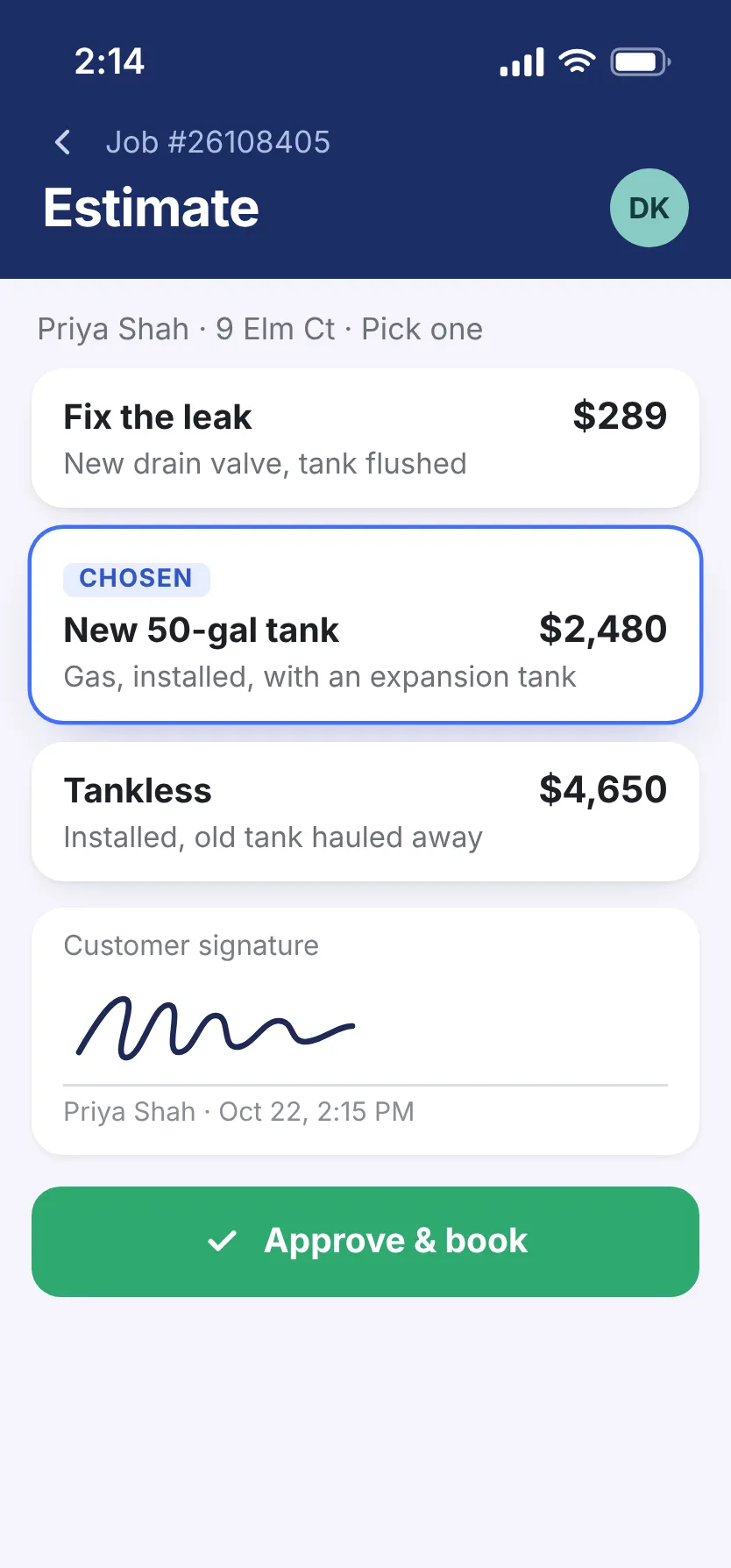
The customer wants a price while your tech is standing there. He shows three options on his phone, and they pick one.
30-minute demo, then 14 days free We set it up for you

What it fixes
Quotes written up back at the shop
Your tech builds it on site from his phone, with photos and video of what he found.
One price, take it or leave it
Three prices side by side, so they pick one instead of saying yes or no.
“Let me think about it”
They sign on your tech’s screen now, or later by email once they’ve thought it over.
Big jobs that need a real proposal
A new system or a repipe, from a template with your logo, scope, price, and terms.
Fewer quotes go cold
Most quotes die in the customer’s inbox. Send yours by text or email, see when it’s opened, and let a reminder follow up.

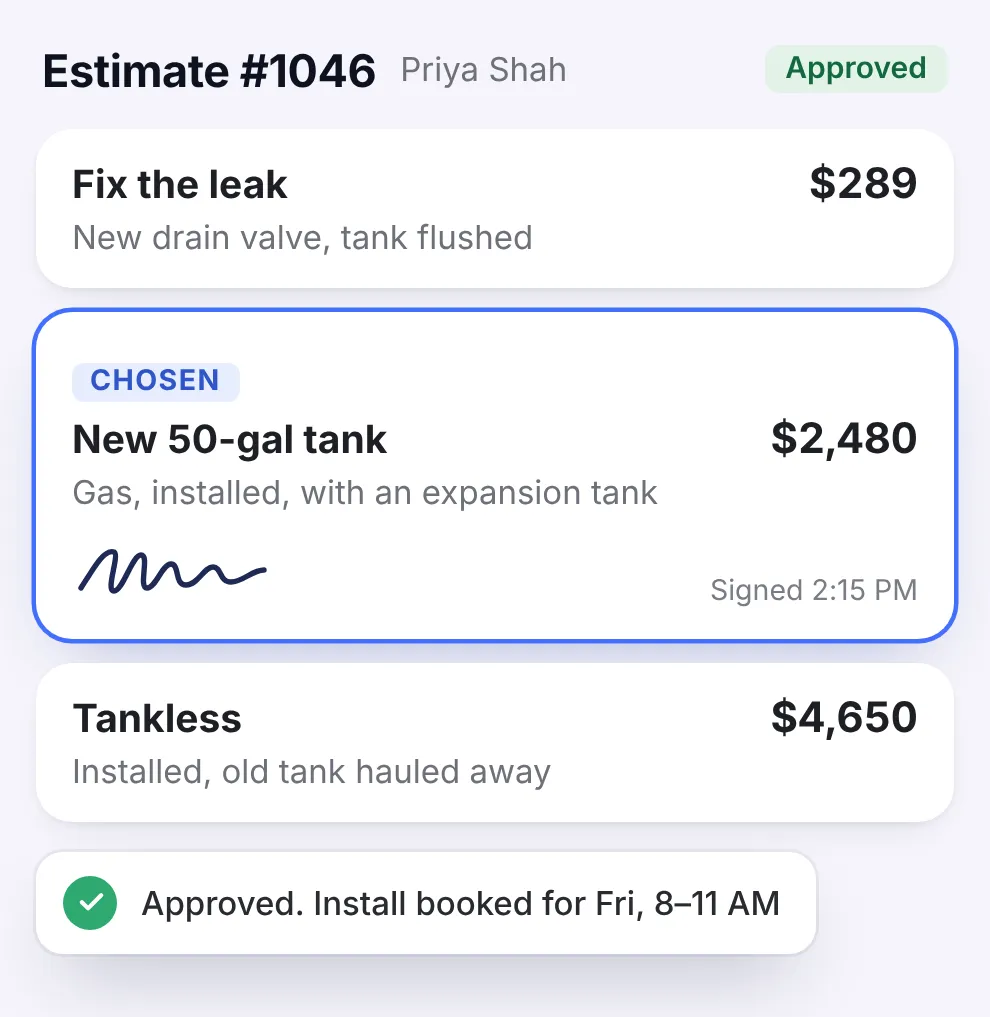
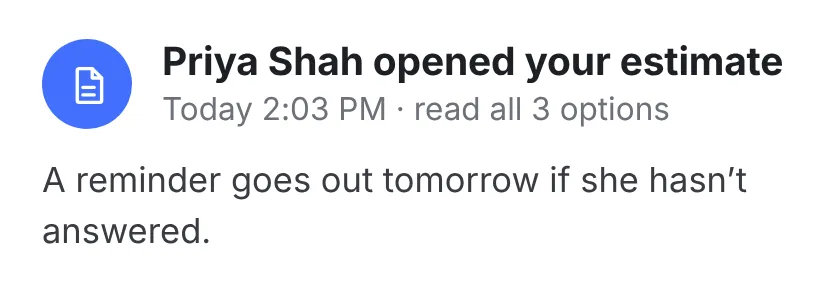
- Know they’ve seen it See when they open it and which parts they read.
- Reminders do the follow-up Customers who haven’t replied get a nudge.
- Booked as soon as it’s signed A signed estimate goes straight onto the board.
Set your prices once
Techs who price from memory leave money on the table. We bring your price book over when you switch, or you build it once.

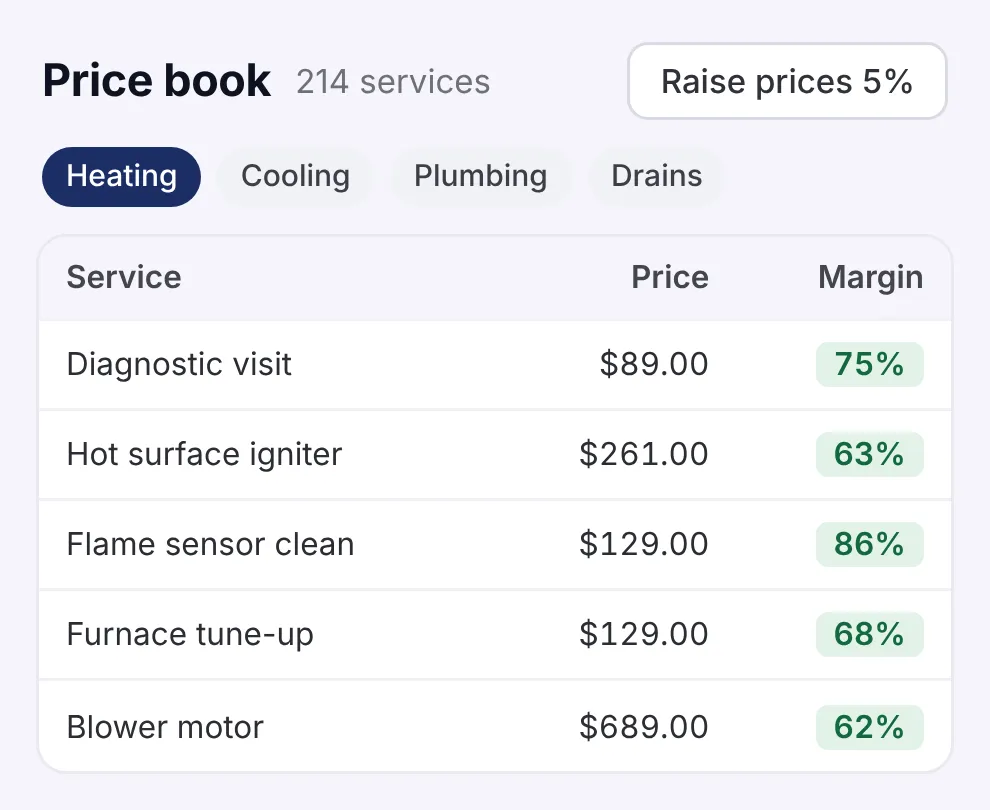

- Every tech charges the same Every estimate and invoice uses your price book, taxes, and logo.
- Raise prices all at once Update a whole set of prices when your costs go up.
- Sized by load calc, on site Manual J load calcs and equipment sizes, instead of a rule of thumb.
Everything in Estimates & price book
There’s one plan, and all of this comes with it. No add-ons.
See the full list Hide the list
Building the estimate
- Prices pulled from your price book
- Estimate templates for your trade
- Describe the job, and get a draft estimate
- Good-better-best options built from the job
- Prices suggested from your rates, your materials, and the local market
- Price new jobs on what past jobs really cost
- Material quantities worked out for the job
- Materials filled in at current supplier prices
Getting it signed
- Customers approve it from their phone
- Text or email it, and see when it’s delivered
- See when they open it and what they read
- Automatic reminders on estimates they haven’t answered
- See which estimates are likely to close
- Extra work to offer, based on the job and the customer
- An approved estimate becomes a booked job
- A time slot suggested from the job and your schedule
For HVAC: load calcs & equipment
- Manual J load calcs on your tech’s phone
- Enter the address, and the building details fill in
- Equipment size, efficiency, and price suggested from the load
- Matching models from manufacturers’ catalogs
- Flags anything that may not pass local code
- The report in your building department’s format
Proposals & results
- Proposals priced from the job specs and market rates
- Material, equipment, and labor prices together
- Track open proposals, your close rate, and how long customers take to decide
- See which proposals to follow up on first
- Compare the jobs you won and lost
- See how many estimates turn into jobs
- See which options customers buy together
Price book
- One price book for every estimate and invoice
- Update a whole set of prices at once
- What each material costs you, next to what you charge
- Each service says what the work is and what’s included
- Run each trade on its own, with its own prices
Documents
- The right sales tax for where the job is
- Your logo and colors on every estimate and invoice
- Set up a document template once, and every document uses it
- Your warranty and terms added to every document
- A saved list of the equipment brands and types you work on

Get more quotes signed.
See how in 30 minutes.
- We walk you through it on jobs like yours
- Then a free 14-day trial, no credit card
- We set it all up for you
- 24/7 support from real people
Pick a time for your demo
30 minutes, one-on-one, online.