Free logins for your whole office
Give everyone in the office a login: your dispatcher, your bookkeeper, whoever answers the phone. Add as many as you need.
30-minute demo We set it up, then 14 days free Month to month, no fee to cancel


What it fixes
Techs seeing your numbers
Your techs see their jobs, not your books. You decide who sees what.
Only you know who can do what
Tag who does installs, who’s certified for gas, and who runs the jetter. Then the board suggests the right tech.
Job photos lost in group texts
Message your techs and share photos and files in the app.
Clock-ins you can’t trust
GPS shows where each tech clocks in and out.
Follow-ups nobody has to send
Nobody in the office has time to chase estimates and unpaid invoices, so those customers get a text from your company on the schedule you set.



- The stuff that slips Pick what goes out and when, like a review request right after the job.
- The same task, done by hand If your office keeps sending the same text by hand, you get a nudge to put it on a schedule.
- Customers left waiting You get a heads-up when a customer still hasn’t been called back.
Take your data with you
You won’t get stuck again. Export your customers and jobs anytime, for free.

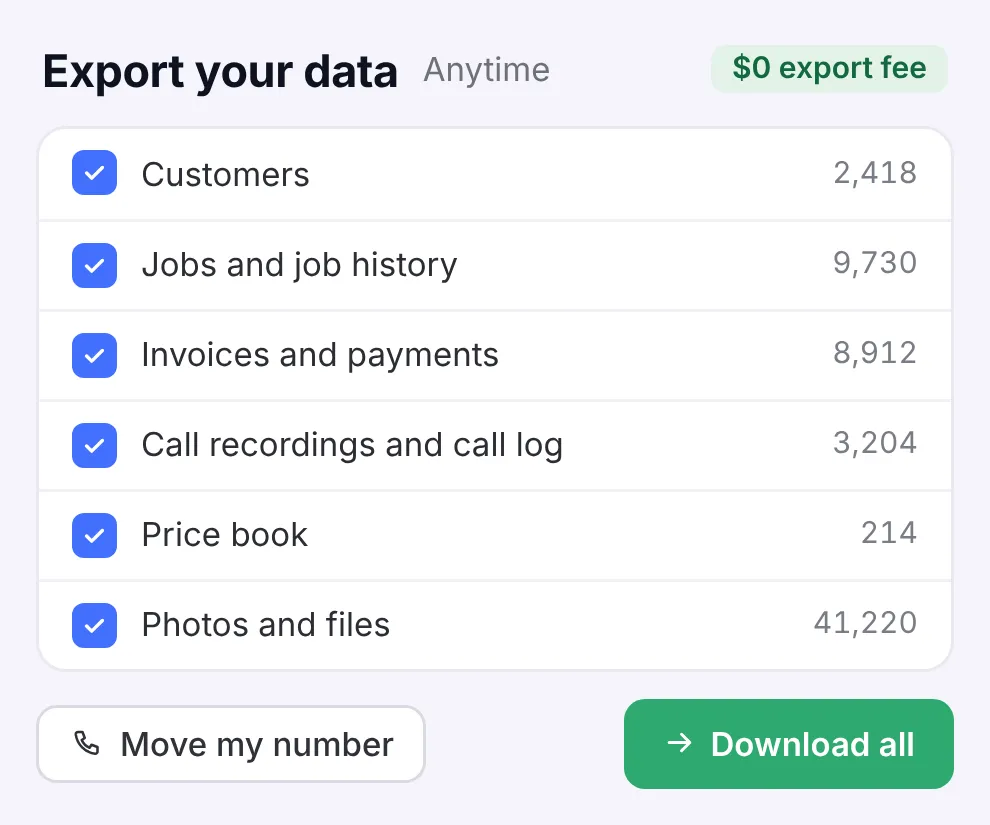
- Everything in one download You get your customers, jobs, invoices, photos, and price book.
- Your phone number goes with you If you leave, we port it to whoever you switch to.
- Recordings too Your call recordings and call log are yours.
Everything in Team & automation
All of this is in one plan: $600 a month, plus $90 a month for each tech you add to our mobile app. No add-ons.
See the full list Hide the list
Messages & planning
- A thread for each customer, so nothing gets lost in texts
- See what everyone on your team is doing, as it happens
- Plan schedules, parts, and workload weeks ahead
- See how many techs you’ll need next season
Hours & labor cost
- Drive time tracked separately from time on site
- Job labor cost straight from tracked hours
- Odd time entries flagged for a second look
- Set a goal and see who’s hitting it
Automation
- An alert the moment something needs you, like a customer waiting to be called back
- Make your own rules, like “text the customer two days after the estimate goes out”
- A rule suggested when your team keeps doing a task by hand
- Urgent problems and late jobs sent to you or your manager right away

Take follow-ups off your office’s plate.
We’ll show you how.
- We’ll ask which follow-ups your office still sends by hand
- Two weeks free, and the clock doesn’t start till we’ve got you set up. No credit card needed
Pick a demo time
It’s a 30-minute video call on Google Meet. Join from your phone or computer.
Show times in
Former time
We’ll start by asking how many techs you have and what software you’re on now, so we skip what you don’t need and keep it to 30 minutes.
We’ll call you to book it.