See what each job actually makes
A busy week isn’t always a profitable one. Compare revenue, costs, and profit by job, tech, or service, and see where the money goes.
Book a demo
30-minute demo, then 14 days free We set it up for you


What it fixes
Pushing the wrong services
See what to push and what to drop, by tech, service, and month.
Jobs that cost more than you quoted
See which ones, by job type, customer, and tech.
Losing money and not knowing why
See what the jobs that lost money have in common.
Your accountant asking for numbers
Build the report you need and download it as a spreadsheet.
Know who’s making you money
Not every tech brings in the same. See revenue, average ticket, and go-backs for every tech, updated as the day goes on.

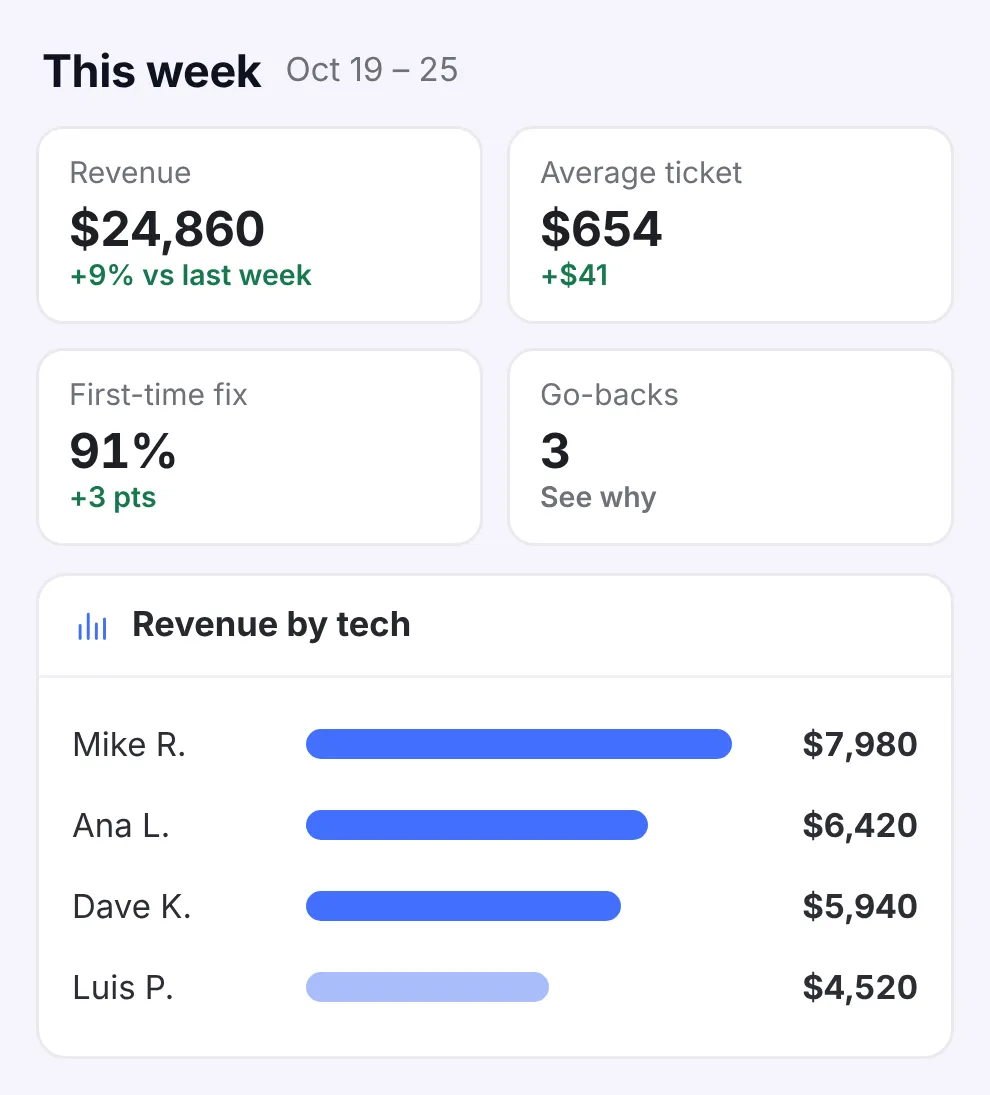
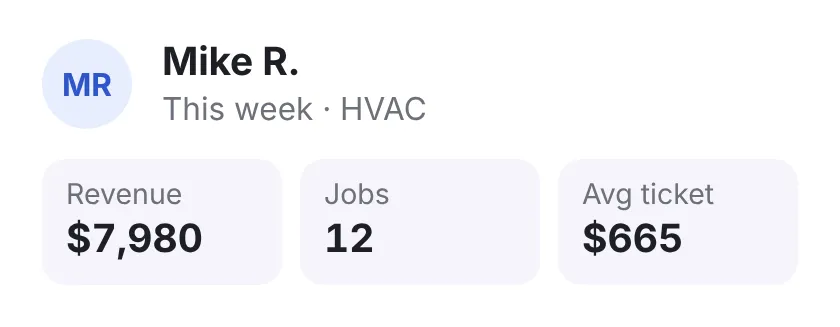
- How’s the week going? This week’s numbers on one screen, without waiting for month’s end.
- Go-backs, and why Which jobs needed a second trip, and what to change.
- Too busy to read reports? Any report, summed up in a few lines.
Run all your shops from one account
Each brand keeps its own name, phone number, and books, and you see them side by side.

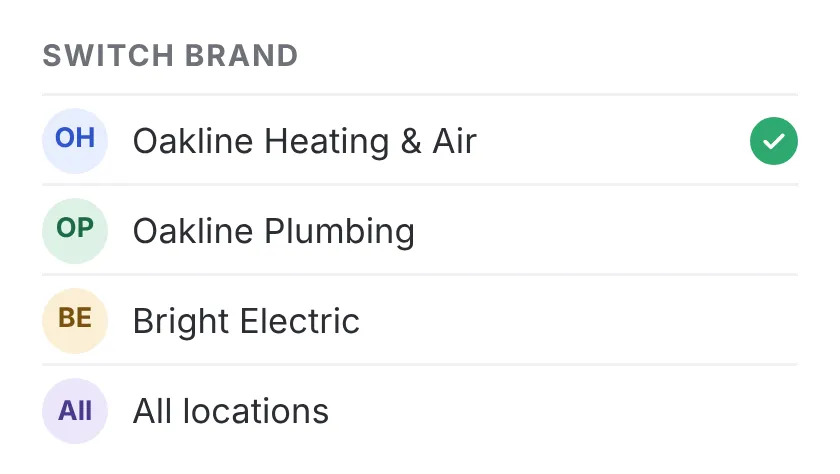
- The right name on every call Each brand’s calls are answered with its own company name.
- Separate books Each company syncs to its own QuickBooks Online.
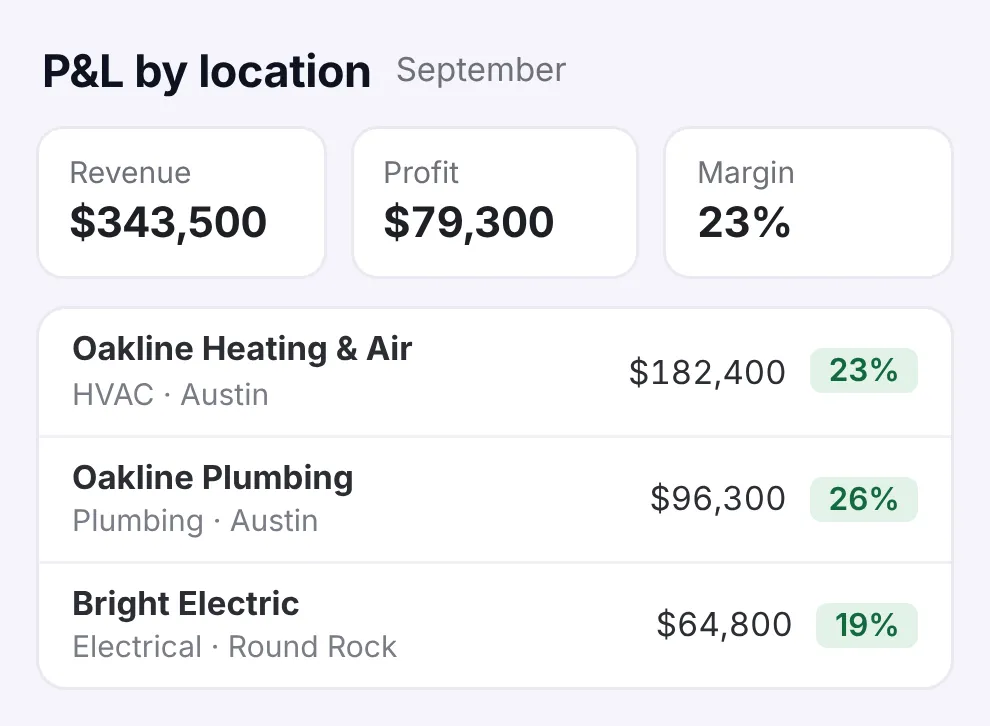
- Which shop makes the money? P&L by location and trade, with shared overhead split between them.
Everything in Reports
There’s one plan, and all of this comes with it. No add-ons.
See the full list Hide the list
Dashboards
- Revenue, average ticket, go-backs, and billable time, live
- Owners, dispatchers, and techs each see their own numbers
- See how each tech is doing
- Filter any report by date, trade, or status
- A plain-English summary of any report
Money
- An alert when an expense looks wrong
- P&L and tax summaries
- See when money will come in, based on how fast your customers pay
Planning
- A revenue forecast
- See what hiring a tech or buying a truck does to your numbers
- Find out why jobs need a go-back, and what to change
Brands & locations
- All your brands in one account
- Separate companies, separate books
- P&L by location and trade
- Leads from your techs, tracked to the sale and the spiff
- License reminders, by person, trade, and state

Know what every job made.
See how in 30 minutes.
- We walk you through it on jobs like yours
- Then a free 14-day trial, no credit card
- We set it all up for you
- 24/7 support from real people
Pick a time for your demo
30 minutes, one-on-one, online.