Book the job, even when your office can’t pick up
Your office is on another call, or it’s after hours. The call still gets answered in your company’s name, the job goes on your board, and you get a text with the details.
30-minute demo, then 14 days free We set it up for you


What it fixes
Calls going to voicemail
Picked up at night, on weekends and holidays, and when every line is busy.
Jobs booked into a full day
It offers only the times your techs really have free.
Calling back for the address
Name, address, what’s wrong, and how urgent it is go right into the job, so nobody types it twice.
“Am I on the schedule?” calls
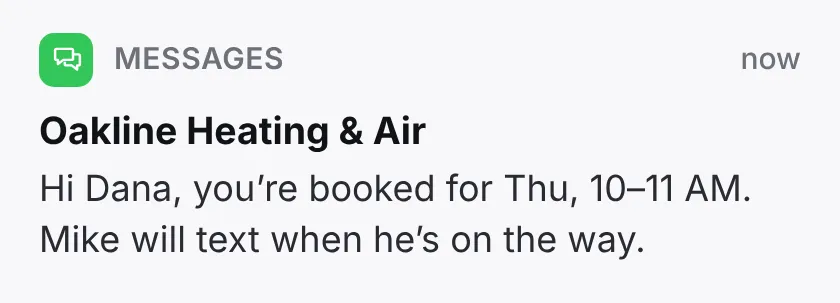
The customer gets a text with the time and your company’s name right after the call.
Your plan includes 1,000 call minutes a month, shared across your company. Extra minutes are billed at the rate in the contract. Calls your own people answer are never billed.
You decide what it says
Worried the AI receptionist won’t sound like your office? Tell us your greeting, the questions to ask, and your services and policies. We set it up at no charge.

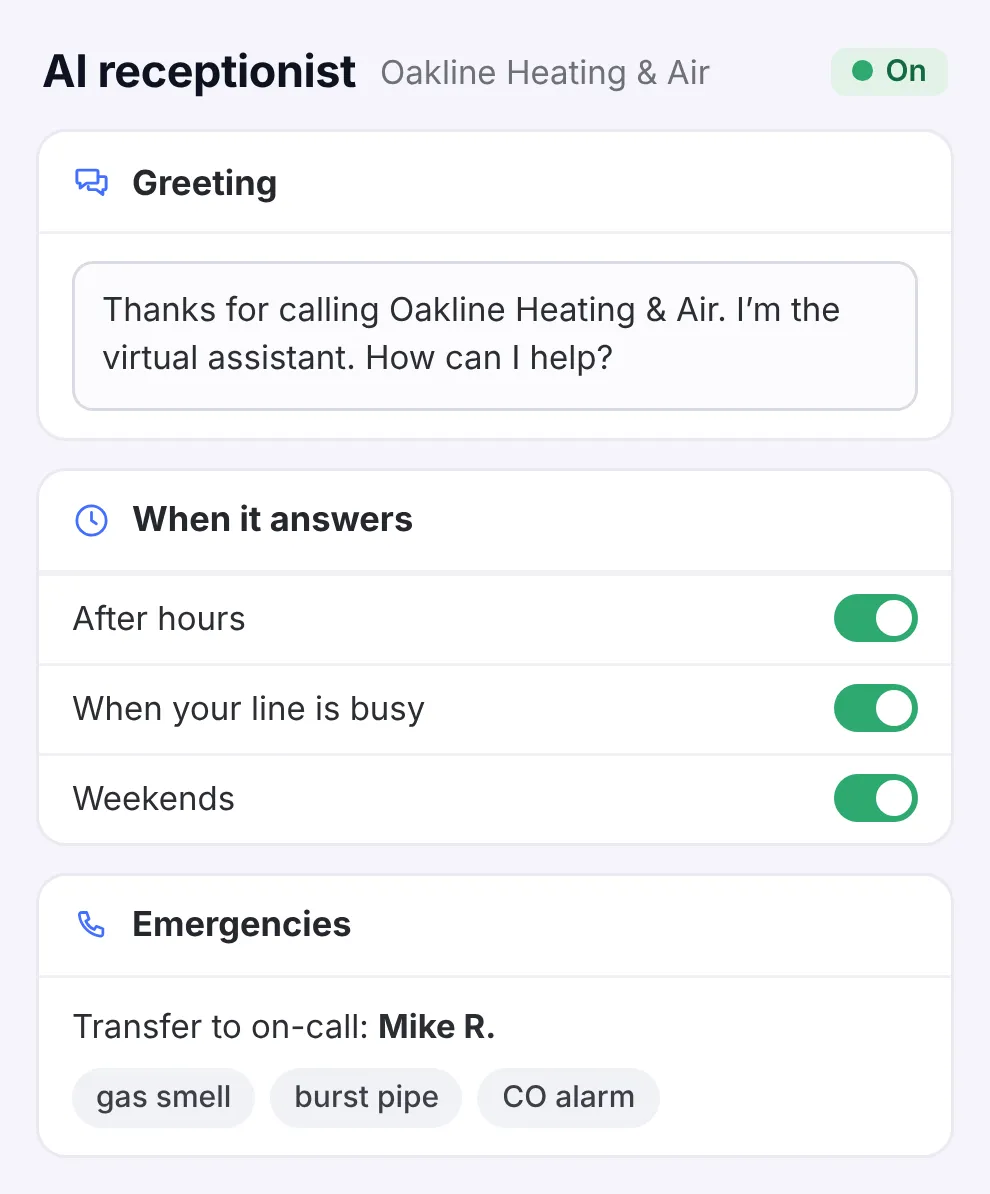
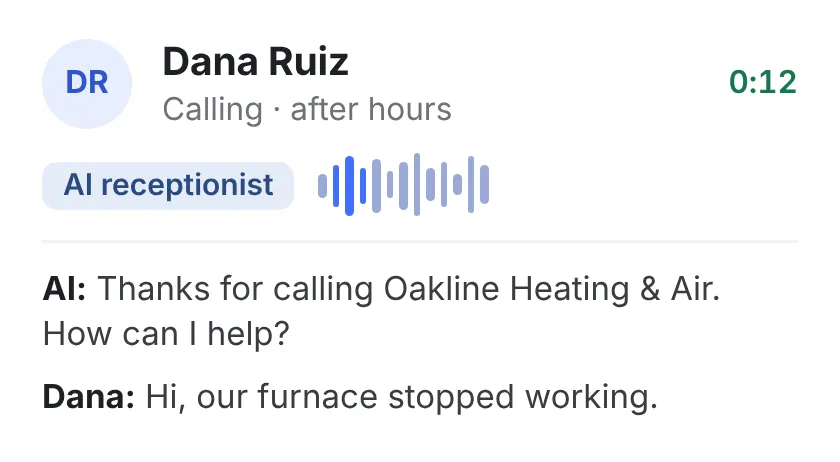
- Your greeting and questions It answers as your company’s virtual assistant and asks what you’d ask.
- You pick the emergencies Like a gas smell or a burst pipe. Those calls go straight to your on-call tech.
- Keep your number Forward the calls your office can’t take, or all of them.
The job lands on your board
Your dispatcher sees the job, who booked it, and the call behind it.
- Know what they said Read the short version, or play the whole call.
- Repeat callers Customers who’ve called before come up with their history.
- Ready for the rush See how many calls to expect, and plan your techs’ days before the rush hits.



Everything in Calls & bookings
There’s one plan, and all of this comes with it.
See the full list Hide the list
Answering & booking
- Online booking on a page with your company name
- Set the receptionist’s greeting, questions, services, and service area
- Emergency calls go straight to your on-call tech
- Keep your number, or get a new one from us
- Offer a membership or extra work while they book
- Web, Google, social media, and phone bookings on one calendar
Calls & messages
- Every call logged with its time, length, and outcome
- A short summary of every call, plus the transcript
- Returning callers come up with their history
- Text or email the customer without leaving the call
- Draft replies, ready to check and send
Routing & follow-up
- Calls, emails, and web forms land in one list
- Decide once who gets which calls
- Calls routed by area, trade, and who’s free
- Track every call until the job’s done
- A heads-up before your office is late calling someone back
- See when a customer calls about the same problem again
Call reports
- Calls, bookings, and revenue on one screen
- See how many calls turn into jobs
- See whether your best customers come from Google, your website, or social media
- Know how many calls to expect, and staff up for the rush

Quit losing calls to voicemail.
See how in 30 minutes.
- We walk you through it on jobs like yours
- Then a free 14-day trial, no credit card
- We set it all up for you
- 24/7 support from real people
Pick a time for your demo
30 minutes, one-on-one, online.