Field service software by trade Keep your trucks busy.
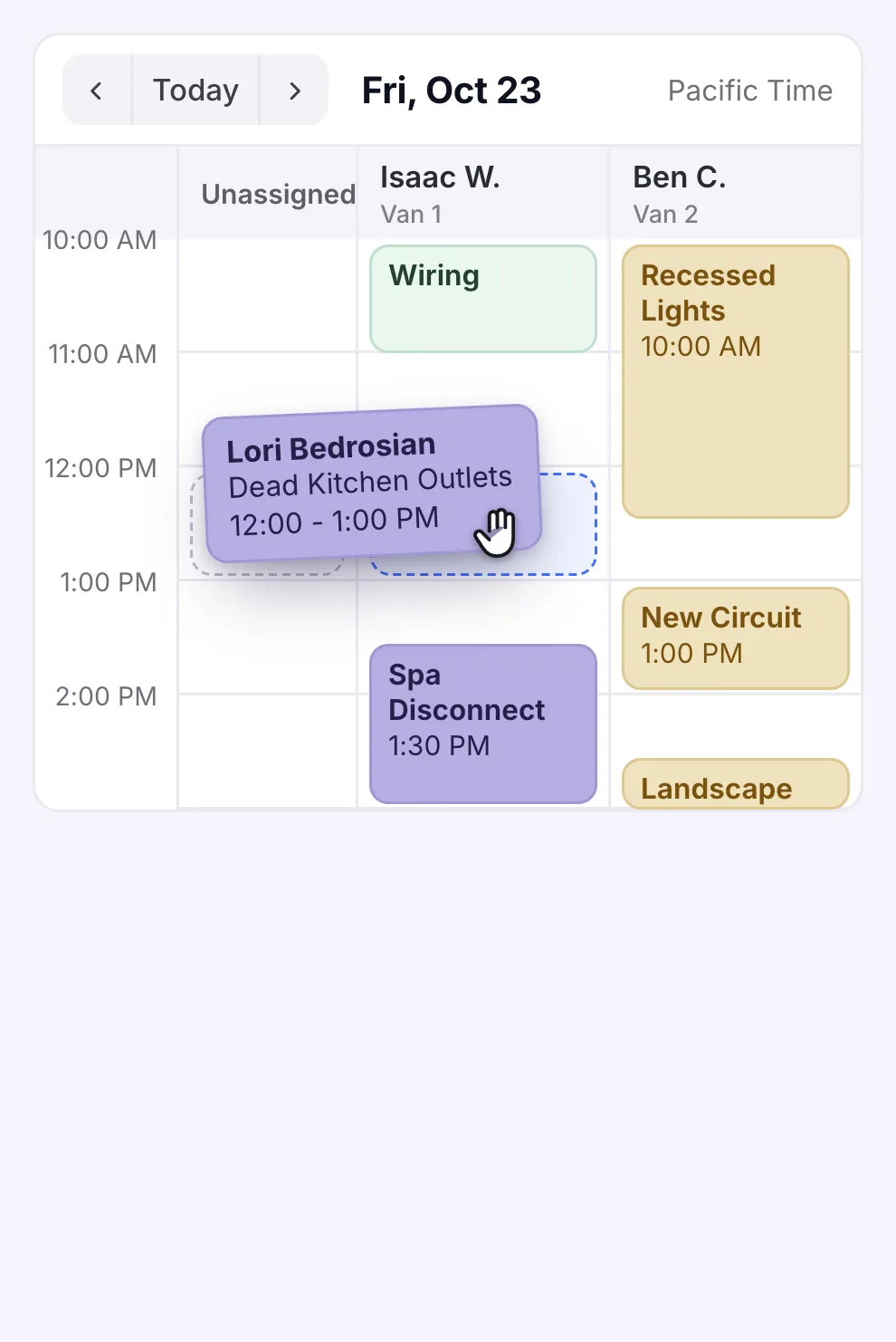
Calls your office can’t get to still get booked, and the jobs show up on your techs’ phones.
30-minute demo, then 14 days free We set it all up. Most office staff and techs pick it up in a day.


We run our own HVAC, plumbing, electrical, and appliance repair shops on WorkflowPros.




Our own shop · Superior Plumbing & Heating
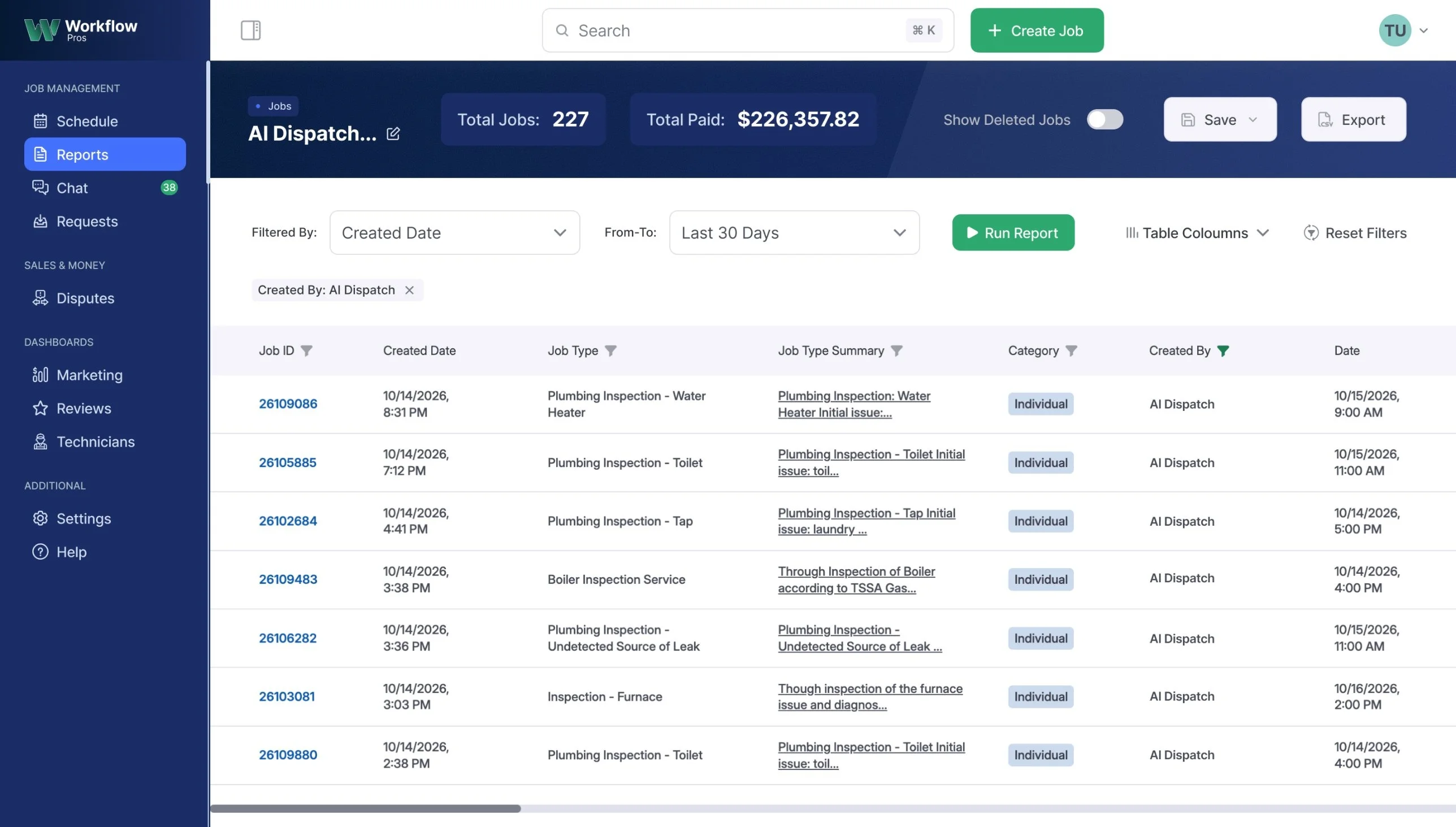
About 50 jobs a week from calls the office couldn’t get to.
Superior has 40 techs on 25 trucks, some two to a truck. The AI receptionist answers when the office is busy or closed.
- $226K collected on 227 jobs the AI booked in 30 days
From Superior’s report, about two months after it left ServiceTitan.

Try it free for 14 days
- No card to start
- 30 days money-back guarantee 3
- Month to month, no fee to cancel
- If you ever leave, you take your data with you at no charge
Pick your trade
- HVAC software
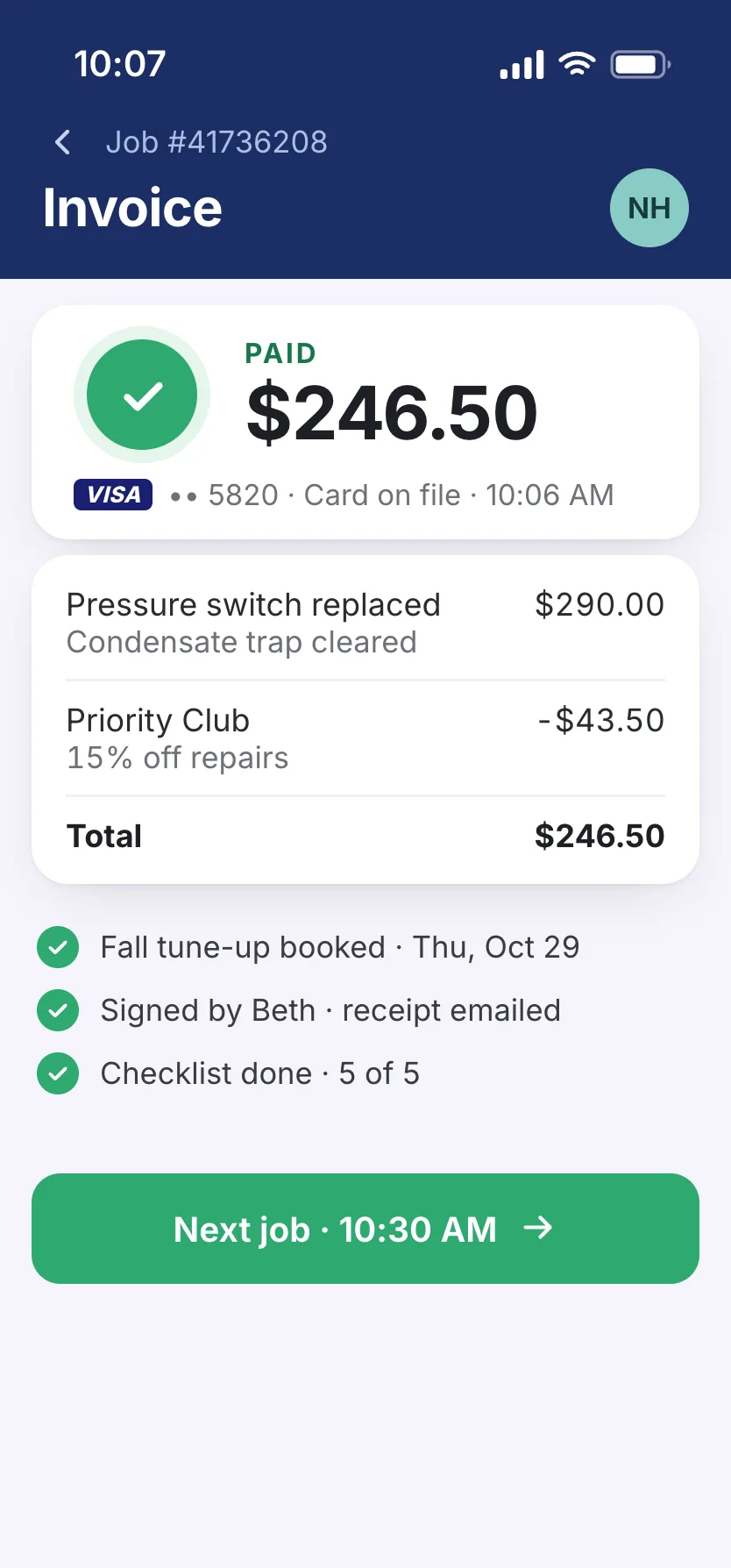
Member pricing your techs don’t have to look up
A member’s furnace quits on the first cold night, and your tech sees her plan on the job and bills her member rate.
- Plumbing software
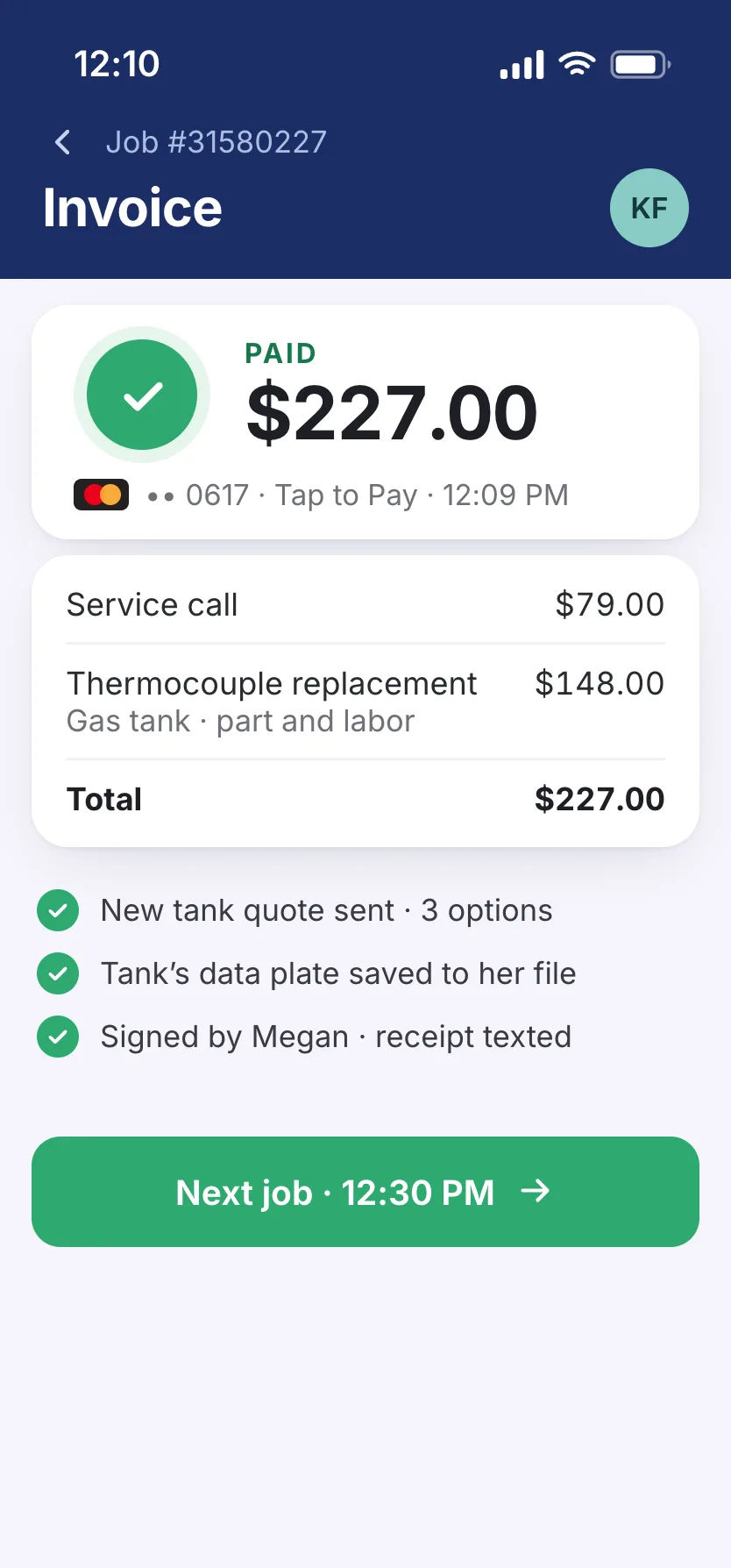
Water heaters quoted at the tank
Your plumber pulls up three water heater options on his phone, so the homeowner can pick one before he leaves.
- Electrical contractor software
A panel upgrade that runs long won’t back up the day
When it runs over, your office gets an alert and hands that electrician’s next calls to whoever’s open.

Water treatment
Book every filter change on time
Every softener, RO system, and well pump is on the customer’s file. The app texts the customers whose filters are due, and your office books those visits by area.
More about water treatment
Your tech logs the hardness and iron readings on the job. If the softener’s shot, he quotes a new one from your price book while the numbers are still in front of the customer.
A family on a well with no water can’t wait till morning, so you can have no-water calls ring straight through to your on-call tech.
Air duct cleaning
Book cleanings one side of town at a time
When your office books a cleaning, the board suggests the tech already on that side of town and plans his route around traffic.
More about air duct cleaning
The vent count and the last cleaning are on the customer’s file, so your office can quote the job on the phone.
Customers can book a cleaning online, and it goes on the same board as the jobs your office books. On site, your tech adds a dryer vent cleaning, sanitizing, or a new roof cap to the job from your price book.
Generator service
Sell the install, then keep it running
Your salesman’s site visits and your techs’ service calls share the board. The homeowner signs the proposal on her phone, and the permit paperwork stays with the job from the first visit through startup.
More about generator service
Maintenance-plan customers are on autopay, and your office books their yearly service well before storm season.
After a storm knocks the power out and every line is ringing, our AI receptionist answers the calls that would’ve gone to voicemail and books the no-starts on your board.
Other trades
- Appliance repair The app reads the model number off your tech’s photo of the tag on a fridge or washer.
- Septic & drain Your driver pulls up knowing the tank size and where to dig for the lids, because the crew noted both at the last pump-out.
- Locksmith On a lockout, your office sends whichever van is closest on the map.
- Garage door No spring job closes out until your tech checks off the door balance and the auto-reverse test.
- Chimney sweep Your sweep runs the camera up the flue on a Level 2 inspection, and the homeowner gets the report with photos as a PDF.
Every feature is in the price.
$600 a month covers the software. Each tech on the app is $90 a month, and your office logs in free.
- AI receptionist, 1,000 call minutes a month 1
- Online booking
- Good-better-best estimates
- Customer financing
- Memberships and maintenance plans
- Price book
- Live GPS from your techs’ phones
- Payment reminders
We handle the switch
Your crew keeps running jobs while we move you over.
15 days
to switch 2
$0
Setup
$0
Moving your data
$0
Online training
We move your customers, job history, and price book from ServiceTitan, Housecall Pro, Jobber, or any other app. Your customers’ equipment and maintenance plans come over too.
We moved our own shops off ServiceTitan the same way. It took 5 business days for Atlas Air Comfort and its 10 techs, and 7 for Superior and its 40.
On paper? A spreadsheet or your QuickBooks is all we need.
You keep your phone number. QuickBooks Online syncs both ways.
Questions owners ask us
Will my techs actually use it?
Yes. It shows only what they need: today’s jobs, directions, checklists, photos, and payments, so there’s nothing to fight with. It runs on iPhone and Android.
Will my office pick it up fast?
If they can write a call down on a notepad, they can book it in the app. And if they do get stuck, our support number is in the app from day one of your free trial. Call it yourself before you pay a dime. A real person picks up 24/7.
Can you move my customers’ cards on file?
Yes. Your old card processor sends them over to the one we use. We put in the request and deal with your old software company for you.
Will a robot answer my customers?
Only the calls you send it. When your office can’t pick up, the AI receptionist introduces itself as your company’s virtual assistant, asks the questions you choose, books the job, and texts the details to whoever you pick.
Emergency calls go straight to your tech on call, and you decide what counts as one. If the AI can’t answer a question, it takes a message.
Still on paper or other software?
We’ll show you a service call.
- We’ll also tell you what we can bring over from your old software or your paper files
- Two weeks free, and the clock doesn’t start till we’ve got you set up. No credit card needed
Pick a demo time
It’s a 30-minute video call on Google Meet. Join from your phone or computer.
Show times in
Former time
We’ll start by asking how many techs you have and what software you’re on now, so we skip what you don’t need and keep it to 30 minutes.
We’ll call you to book it.