
Field service software for HVAC & plumbing shops
WorkflowPros vs. FieldEdge
Cancel any month with no fee. Every office login is free. Real people answer our support line, 24/7.
 $226K CAD paid in 30 days on jobs WorkflowPros booked 227 jobs the software booked on its own We own Superior Plumbing & Heating, a Canadian shop with 40 techs. The $226K is revenue, not profit. See the report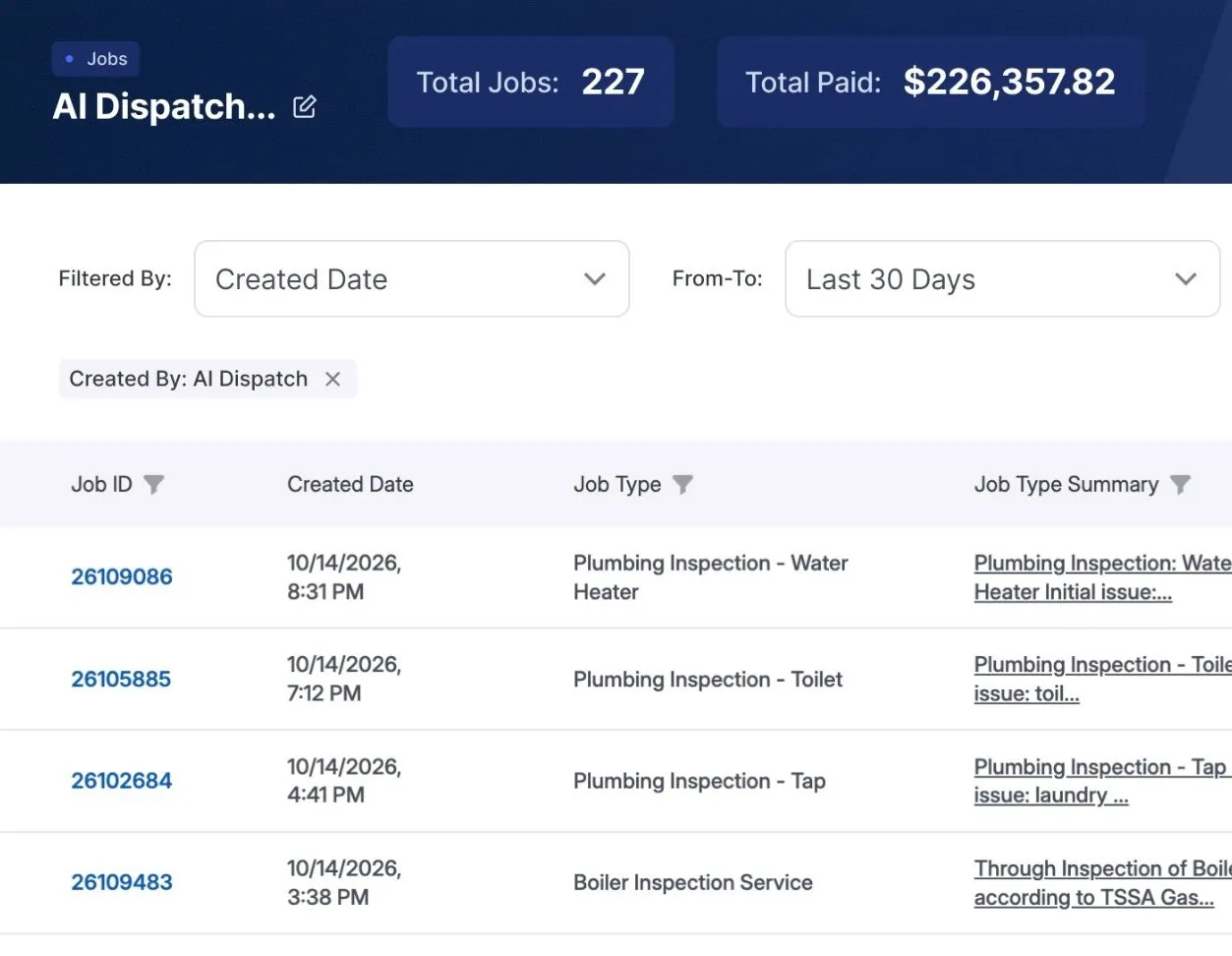
FieldEdge’s side is from its own website, terms, and help center, checked October 28, 2026. See the sources
WorkflowPros
If you want out early
Cancel anytime
You pay month to month, with no fee to leave.
You owe the rest
If you leave before the term ends, you pay for every month left. 1
If what you pay goes up
Base rates locked a year
After that, any change needs at least 60 days’ written notice.
Can rise during your term
With two months’ notice. Above inflation, you have 10 days to leave, no penalty. 2
Logins for your office
Every office login, free
Your dispatcher, your bookkeeper, whoever answers the phone.
A license per office user
Full mobile access is a second license; inactive users’ licenses stay on the account. 3
When the app acts up
By phone, 24/7
Real people answer, weekends and holidays too.
Weekdays only
Chat on Select, email or phone on Premier, a dedicated rep on Elite. 4
Keeping QuickBooks up to date
Syncs both ways
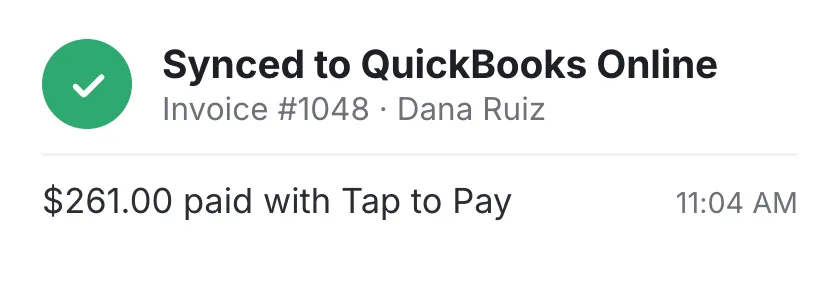
Customers, invoices, and payments go to QuickBooks Online and back.
Works with QuickBooks too
Customers, invoices, and payments go to QuickBooks Desktop or Online; balances come back. 5
Getting set up
We move it for you
You do two things: tell us what you use and give us your data.
They move it too
Their onboarding team brings your data over. 6
We move your data and train your office and techs. You tell us what you use and give us your data. Shops we own moved over in 2 to 14 working days. One software fee, plus $90 a month for each tech on our mobile app. Your office logs in free.
Feature by feature
Everything here comes with WorkflowPros. With FieldEdge, some of it starts on the Premier plan, and some needs the Elite plan or an add-on.
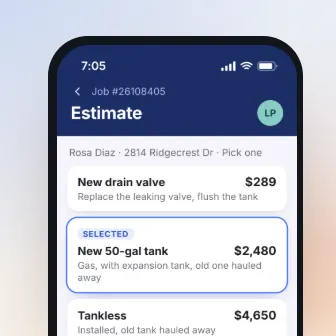 Estimates & price book Good-better-best options: Premier plan, or an add-on
- Good-better-best options, side by side Included Premier plan, or an add-on
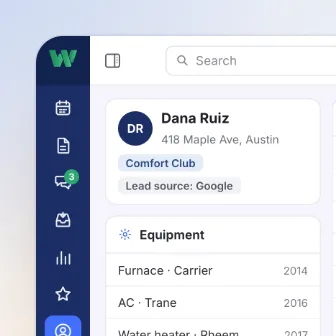 Customers & memberships 2 features need a bigger FieldEdge plan or an add-on
- An online portal for your customers Included Elite plan, or an add-on
- Offers and emails to past customers Included Elite plan, or an add-on
FieldEdge has the other features we compared on every plan too.
FieldEdge’s side is from its own plans page. 7
What else WorkflowPros does for you
Calls going to voicemail after six?
Picked up at night, on weekends and holidays, and when every line is busy.
Which quotes are worth a follow-up call?
See which estimates are likely to close
Licenses about to expire?
Track every license by person, trade, and state. Get a reminder before one runs out.
Giving away jobs you should bill?
You get a heads-up when billable work gets logged as warranty.
Where’s the money going each month?
P&L and tax summaries
Which customers will need service next?
Property details on file, with likely service needs flagged
Techs bringing in new work?
Leads from your techs, tracked to the sale and the spiff
Switching from FieldEdge
On a FieldEdge contract? Give them written notice at least 60 days before it renews. We’ll plan the move around its end.
We move your data
We bring over your customers, equipment, memberships, job history, and price book before your FieldEdge contract ends. Their terms say you stop using FieldEdge the day it does. 8
We train your office and techs
We set up everyone’s logins and what each person sees, and train them online.
Superior, with 40 techs, moved over from ServiceTitan in 7 working days 9
Counted from the day it handed over its data. Yours depends on how much you have.
Before you cancel FieldEdge
Put your notice in writing
Send it to the address on your order form, and copy their legal team. 10
Keep paying until the end
If they end your contract for nonpayment, you still owe the early termination fee. 11
Pay your last FieldEdge bill
Everything you owe through your last day, billed or not, is due right away. 12
Export your reports and lists
Reports export as CSV, and lists too, unless your admin turned that off. 13
Cancel card processing separately
Your merchant agreement is with the card processor, not FieldEdge. 14
Ask them to delete personal data
Ask when your contract ends; they return or delete it where practical and lawful. 15
Run MarketingEdge? Stop your campaigns
MarketingEdge has your customer list. Delete each automated campaign so its messages stop. 16
Download your outbound call recordings
FieldEdge keeps recordings 15, 30, 60, or 90 days, depending on your setting. 17
Still deciding?
Give Andrew 30 minutes.
- He’ll ask how a job runs in your shop now, then show you one just like it in our app
- Two weeks free, and the clock doesn’t start till you’re set up. No credit card needed
With Andrew from WorkflowPros
Pick a demo time
On Google Meet, from your phone
Show times in
Former time
Your demo is with Andrew. He’ll ask how many techs you have and what you’re on now, so he can keep it to 30 minutes.
We’ll call you to book it.
Where each line comes from
- 1 If you want out early. If you end the agreement before its term is up, you pay an early termination fee: the monthly fees times the months left. FieldEdge Terms of Service, section 13.4, dated Oct 2023
- 2 If what you pay goes up. They can raise the fees by telling you at least two months ahead. If a raise is above inflation (CPI) and you don’t agree, you can end the agreement without penalty by written notice within 10 days of getting their notice; it then ends the day the raise would have started. Separately, when third-party fees such as card network fees or interchange go up, they can pass that on, but only to that extent. FieldEdge Terms of Service, sections 2.3 and 2.4, dated Oct 2023
- 3 Logins for your office. Office users have an office license, and full mobile access is a separate license. Making an employee inactive doesn’t take their license off your account. FieldEdge help center, employee roles, dated May 22, 2026; FieldEdge help center, inactive employees, dated Sep 10, 2025
- 4 When the app acts up. Their help center lists support hours of Monday to Friday, 8 a.m. to 6 p.m. Eastern, except public holidays. Their plans page says Select members get chat, Premier members email or phone, and Elite members a dedicated customer success representative. FieldEdge help center; FieldEdge plans page
- 5 Keeping QuickBooks up to date. FieldEdge syncs with QuickBooks Desktop or QuickBooks Online, on every plan: customers go to QuickBooks when they’re saved, a finalized work order posts its invoice and its payments, and the updated balance syncs back. You add customers and jobs in FieldEdge. FieldEdge help center, QuickBooks integration, dated Jun 19, 2026; FieldEdge plans page
- 6 Getting set up. Their onboarding team transfers your business data into your new FieldEdge account, and every plan comes with an onboarding specialist. FieldEdge plans page
- 7 Feature by feature. Their plans page compares Select, Premier, and Elite line by line: quotes are single-option on Select and multi-option from Premier, performance and commission features start on Premier, and Proposal Pro and MarketingEdge come with Elite. It says Proposal Pro presents good, better, best, and budget options, and its questions say Proposal Pro, MarketingEdge, and the Consumer Management Portal can be added to Select and Premier. FieldEdge plans page
- 8 Switching from FieldEdge. Their agreement renews for 12 months at a time unless you give written notice at least 60 days before the current term ends. When it ends, you stop using FieldEdge right away. Their plans page says you can upgrade whenever you need, and downgrade at the end of your current contract period. FieldEdge Terms of Service, sections 2.2 and 13.3, dated Oct 2023; FieldEdge plans page
- 9 How long each of our shops took. Our page on how long switching takes
- 10 Put your notice in writing. Their terms say notices go in writing, delivered by hand, by “prepaid recorded or special delivery” or “prepaid international recorded airmail,” or by email, to Commercial Support at the address in your order form (or a newer one they’ve given you), with a copy to their legal department. FieldEdge Terms of Service, section 15.2, dated Oct 2023
- 11 Keep paying until the end. Their terms say they can end the agreement at once if you don’t pay the fees, and that when they end it early that way, you owe the early termination fee on top of what’s outstanding. FieldEdge Terms of Service, sections 7.1, 13.2, and 13.4, dated Oct 2023
- 12 Pay your last FieldEdge bill. Their terms say that when the agreement ends, all outstanding invoices and any amounts not yet invoiced for the time up to the end become due immediately. FieldEdge Terms of Service, section 13.3, dated Oct 2023
- 13 Export your reports and lists. Their help center says every report exports with “Export All As CSV,” the equipment, customer, quote, invoice, and lead lists export too, and your office admins can turn off a user’s export access. FieldEdge help center, Enhanced Reporting, dated Nov 19, 2024; FieldEdge help center, equipment list, dated Nov 19, 2024; FieldEdge help center, customer types, dated Nov 18, 2024; FieldEdge help center, quote and invoice lists, dated Aug 20, 2026; FieldEdge help center, Leads Management, dated Oct 22, 2026; FieldEdge help center, release notes of March 20, 2020, dated Nov 19, 2024
- 14 Cancel card processing separately. Their terms treat payment processing through FieldEdge as a third-party service, under a separate merchant agreement solely between you and the payment processor. FieldEdge Terms of Service, section 5.6, dated Oct 2023
- 15 Ask them to delete personal data. Their terms say that when the agreement ends, on your reasonable request and notice, they promptly return or delete personal data about you and your customers, where reasonably practical and unless the law prevents it. FieldEdge Terms of Service, section 10.1, dated Oct 2023
- 16 Run MarketingEdge? Stop your campaigns. Their help center says that once MarketingEdge is on, all your customers and their information sync to the MarketingEdge website, and deleting an automated campaign stops its future messages. FieldEdge help center, MarketingEdge, dated Nov 20, 2024
- 17 Download your outbound call recordings. Their help center says you choose how long FieldEdge stores your call recordings, 15, 30, 60, or 90 days, and that users with permission can download outbound call recordings. FieldEdge help center, phone setup, dated Nov 19, 2024; FieldEdge help center, outbound calls, dated Nov 20, 2024
Our side comes from our contract’s Cancellation, Price changes, and Support sections. The rest comes from our Team & automation, Invoices & payments, and Switching pages.
A real person picks up our support line 24/7. For email and other requests, our contract’s target for a first reply is 1 hour when calling, dispatching, or taking payments has stopped completely. It’s a target, not a guaranteed resolution time.
Plans and terms change, so check with FieldEdge before you sign. FieldEdge is a trademark of its owner, and WorkflowPros isn’t affiliated with it.