
Field service software for HVAC & plumbing shops
WorkflowPros vs. Service Fusion
Our software answers the calls your office can’t get to and books the job. Online booking comes with WorkflowPros too. Real people answer our support line, 24/7.
 $226K CAD paid in 30 days on jobs WorkflowPros booked 227 jobs the software booked on its own We own Superior Plumbing & Heating, a Canadian shop with 40 techs. The $226K is revenue, not profit. See the report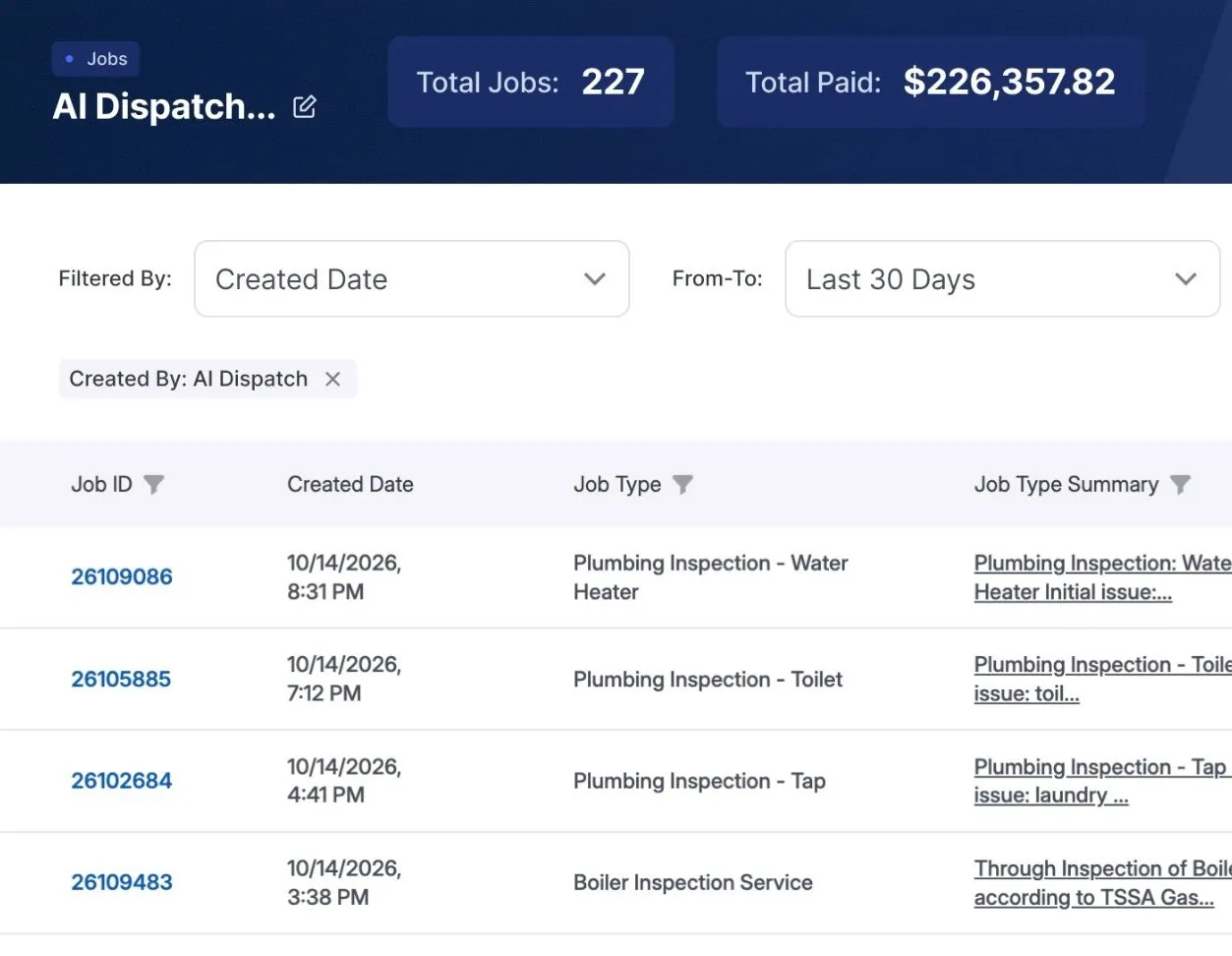
Service Fusion’s side is from its own website, terms, and help center, checked October 28, 2026. See the sources
WorkflowPros
Customers booking online
They pick their own time
They book on a page with your company name.
Pro plan, or an add-on
On their portal, customers send a request, and your office confirms the time. 1
Calls you miss
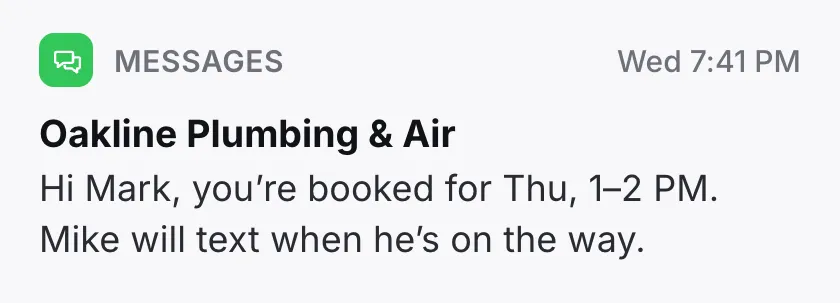
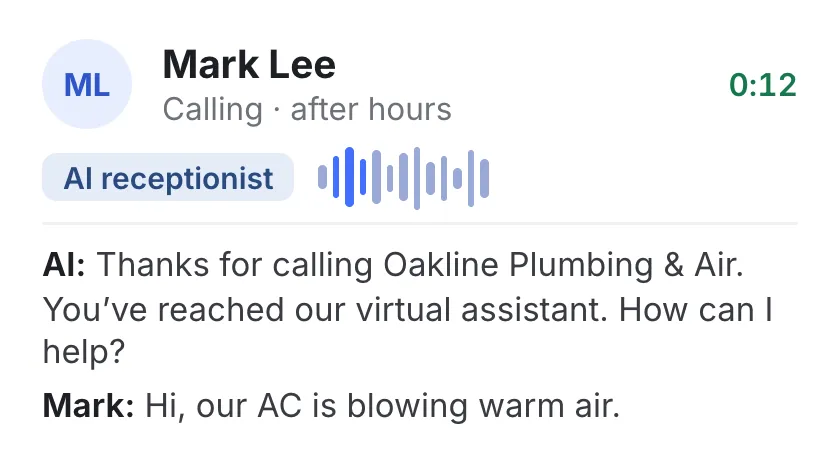
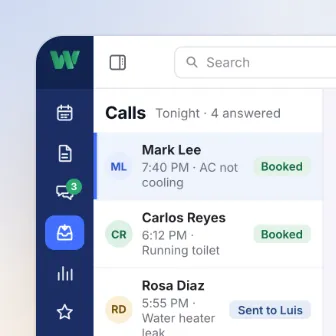
Our AI books jobs 24/7
1,000 minutes a month included, then $0.10 a minute.
Sold separately
Their AI answering, ZyraTalk, is an add-on, quoted on a demo. 2
When the app acts up
By phone, 24/7
Real people answer, weekends and holidays too.
Weekdays only
Monday to Friday, 6 a.m. to 6 p.m. Central. 3
Getting set up
We do the prep
You do two things: tell us what you use and give us your data.
You fill out their spreadsheets
They walk you through setup, and their import team loads what you send. 4
If what you pay goes up
Base rates locked a year
After that, any change needs at least 60 days’ written notice.
Can change anytime
With notice, they can charge for features that used to be free. 5
Keeping QuickBooks up to date
Syncs both ways
Customers, invoices, and payments go to QuickBooks Online and back.
Syncs both ways too
Works with QuickBooks Online and Desktop. 6

Your phone number when you leave
It goes with you
When you cancel, you can port your business number to another provider.
You can port it out
To start, email their support a list of your ServiceCall.ai numbers. 7
If you want out early
Cancel anytime
You pay month to month, with no fee to leave.
Month to month too
You email 30 days’ notice before the term ends. 8
We move your data and train your office and techs. You tell us what you use and give us your data. Shops we own moved over in 2 to 14 working days. One software fee, plus $90 a month for each tech on our mobile app. Your office logs in free.
Feature by feature
Everything here comes with WorkflowPros. With Service Fusion, some of it starts on the Plus plan, or is an add-on.
 Calls & bookings Call tracking: ServiceCall.ai, an add-on
- Every call followed until it’s booked Included ServiceCall.ai, an add-on
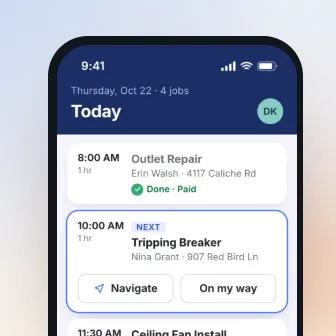 Tech app Job photos: Plus plan, or an add-on
- Site photos go straight into the job Included Plus plan, or an add-on
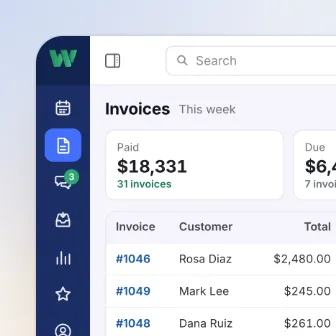 Invoices & payments Job costs: Plus plan, or an add-on
- Materials and other costs on each job Included Plus plan, or an add-on
Service Fusion has the other features we compared on every plan too.
Service Fusion’s side is from its own plans page and help center. 9
What else WorkflowPros does for you
Who covers which side of town?
Set service areas and assign techs to each one
Copying model numbers off every unit?
Photos sorted by type, and the model number read from the data plate
Hunting for permit forms on install day?
Permit forms, completion certificates, and surveys, ready in the job
Invoices missing work your techs did?
An alert when an invoice doesn’t match the job
Tax time a scramble every year?
Expenses sorted, with tax write-offs marked
Regulars you haven’t seen in a year?
See who you might lose, and what to send them
Switching from Service Fusion
Leaving Service Fusion? Email them your notice, tell us the date, and we’ll plan the move around it.
We move your data
We bring over your customers, equipment, memberships, job history, and price book before you cancel. After you leave, Service Fusion can delete your data. 10
We train your office and techs
We set up everyone’s logins and what each person sees, and train them online.
Superior, with 40 techs, moved over from ServiceTitan in 7 working days 11
Counted from the day it handed over its data. Yours depends on how much you have.
Before you cancel Service Fusion
Cancel your autopay in writing
Do it at least 15 days before your next bill, or they charge it. 12
Export customers, products, and job reports
You can export all three to Excel from their reports and Product Catalog. 13
Settle up through the last day
Everything owed through your last day is due right away, unless you dispute it. 14
Take back your name and logo
Their marketing can name you until 30 days after you say no in writing. 15
End your payment processing too
It’s a separate agreement, solely between you and the payment processor. 16
Still deciding?
Give Andrew 30 minutes.
- He’ll ask how a job runs in your shop now, then show you one just like it in our app
- Two weeks free, and the clock doesn’t start till you’re set up. No credit card needed
With Andrew from WorkflowPros
Pick a demo time
On Google Meet, from your phone
Show times in
Former time
Your demo is with Andrew. He’ll ask how many techs you have and what you’re on now, so he can keep it to 30 minutes.
We’ll call you to book it.
Where each line comes from
- 1 Customers booking online. Online booking is their Customer Web Portal, on the Pro plan or added on. A customer’s booking there is a request, and someone in your office follows up to confirm the date and time. Service Fusion plans page; Service Fusion help center, Customer Web Portal, dated Aug 15, 2025
- 2 Calls you miss. ZyraTalk, the AI that answers calls for service businesses, is one of the add-on tools available through EverPro, and you book a demo to get a quote. Service Fusion AI call answering page; Service Fusion vs. ServiceTitan page; Service Fusion help center, ZyraTalk
- 3 When the app acts up. Support hours are Monday through Friday, 6 a.m. to 6 p.m. Central. Service Fusion help center, contacting support
- 4 Getting set up. Their comparison page says guided onboarding is included. To have their Data Import team bring in your job history, customer equipment, and other records, you fill out their templates and email them in. Their self-serve Data Import Wizard is an add-on. Service Fusion vs. ServiceTitan page; Service Fusion help center, data import templates, dated Sep 12, 2022
- 5 If what you pay goes up. With notice, they can change their fees at any time, including charging for features they used to offer at no charge. Service Fusion Subscription Agreement, section 7.1, dated Mar 23, 2026
- 6 Keeping QuickBooks up to date. Their comparison page calls it a two-way sync of invoices, payments, and customers, and their plans page says it works with QuickBooks Online and Desktop. Service Fusion vs. Housecall Pro page; Service Fusion plans page
- 7 Your phone number when you leave. Their help center says you can port your numbers out of ServiceCall.ai, their phone add-on: you email their support a list of the numbers to start. Service Fusion help center, ServiceCall.ai questions, dated Dec 15, 2023
- 8 If you want out early. Their plans are month to month. Their agreement renews each term unless you give 30 days’ written notice before it ends, and fees aren’t refunded, nor prorated when you move to a smaller plan. Their comparison page lists no early termination fees. Service Fusion plans page; Service Fusion Subscription Agreement, sections 7.1, 7.3, 8, and 15, dated Mar 23, 2026; Service Fusion vs. Housecall Pro page
- 9 Feature by feature. Their plans page lists what every plan includes and what Plus and Pro add, with Job Photo Uploads and Job Costing in Plus, and ServiceCall.ai and GPS Fleet Tracking as add-ons. Their help center says their billing department adds Job Photo Uploads and Job Costing as add-ons when you ask. Service Fusion plans page; Service Fusion help center, upgrades and add-ons, dated Mar 17, 2026
- 10 Switching from Service Fusion. Notice goes by email to their support address. When the agreement ends, they can delete your data, and if you ask them to export it, they bill it as professional services, won’t start until it’s paid in full, and send the file as-is, where feasible. Service Fusion Subscription Agreement, sections 4 and 15, dated Mar 23, 2026
- 11 How long each of our shops took. Our page on how long switching takes
- 12 Cancel your autopay in writing. Their agreement says your authorization to charge your card or debit your bank account stays in effect until you cancel it in writing, at least 15 days before the next billing date. Service Fusion Subscription Agreement, section 7.2, dated Mar 23, 2026
- 13 Export customers, products, and job reports. Their help center says the Customer List report pulls all customers when you leave the dates blank, the Product Catalog exports every item to Excel, active or not, and Reports Center job and estimate reports export to Excel. An invoice report can cover several years, and you can save job photos from each job’s Pics tab. Service Fusion help center, Customer List report, dated Jun 9, 2026; Service Fusion help center, Product Catalog, dated Apr 18, 2024; Service Fusion help center, Reports Center, dated Feb 7, 2024; Service Fusion help center, unpaid invoices in Excel, dated Sep 25, 2025; Service Fusion help center, saving job photos, dated Apr 11, 2024
- 14 Settle up through the last day. Their agreement says that when it ends for any reason, any unpaid, undisputed amounts due through the end become due immediately. Service Fusion Subscription Agreement, section 8.3, dated Mar 23, 2026
- 15 Take back your name and logo. Their agreement lets them name you as a customer, with your logo, in their promotional materials until you revoke that in writing; they then have 30 days to process it. Service Fusion Subscription Agreement, section 13, dated Mar 23, 2026
- 16 End your payment processing too. Their agreement says that if you use their payment processing, it’s under a separate agreement solely between you and the third-party payment processor. Service Fusion Subscription Agreement, section 3.1, dated Mar 23, 2026
Our side comes from our contract’s Support, Price changes, Your phone number, and Cancellation sections. The rest comes from our Calls & bookings, Switching, and Invoices & payments pages.
A real person picks up our support line 24/7. For email and other requests, our contract’s target for a first reply is 1 hour when calling, dispatching, or taking payments has stopped completely. It’s a target, not a guaranteed resolution time.
Plans and terms change, so check with Service Fusion before you sign. Service Fusion is a trademark of its owner, and WorkflowPros isn’t affiliated with it.