
Field service software for HVAC & plumbing shops
WorkflowPros vs. Workiz
Cancel any month with no fee. Our software answers the calls your office can’t get to and books the job. QuickBooks Online syncs both ways.
 $226K CAD paid in 30 days on jobs WorkflowPros booked 227 jobs the software booked on its own We own Superior Plumbing & Heating, a Canadian shop with 40 techs. The $226K is revenue, not profit. See the report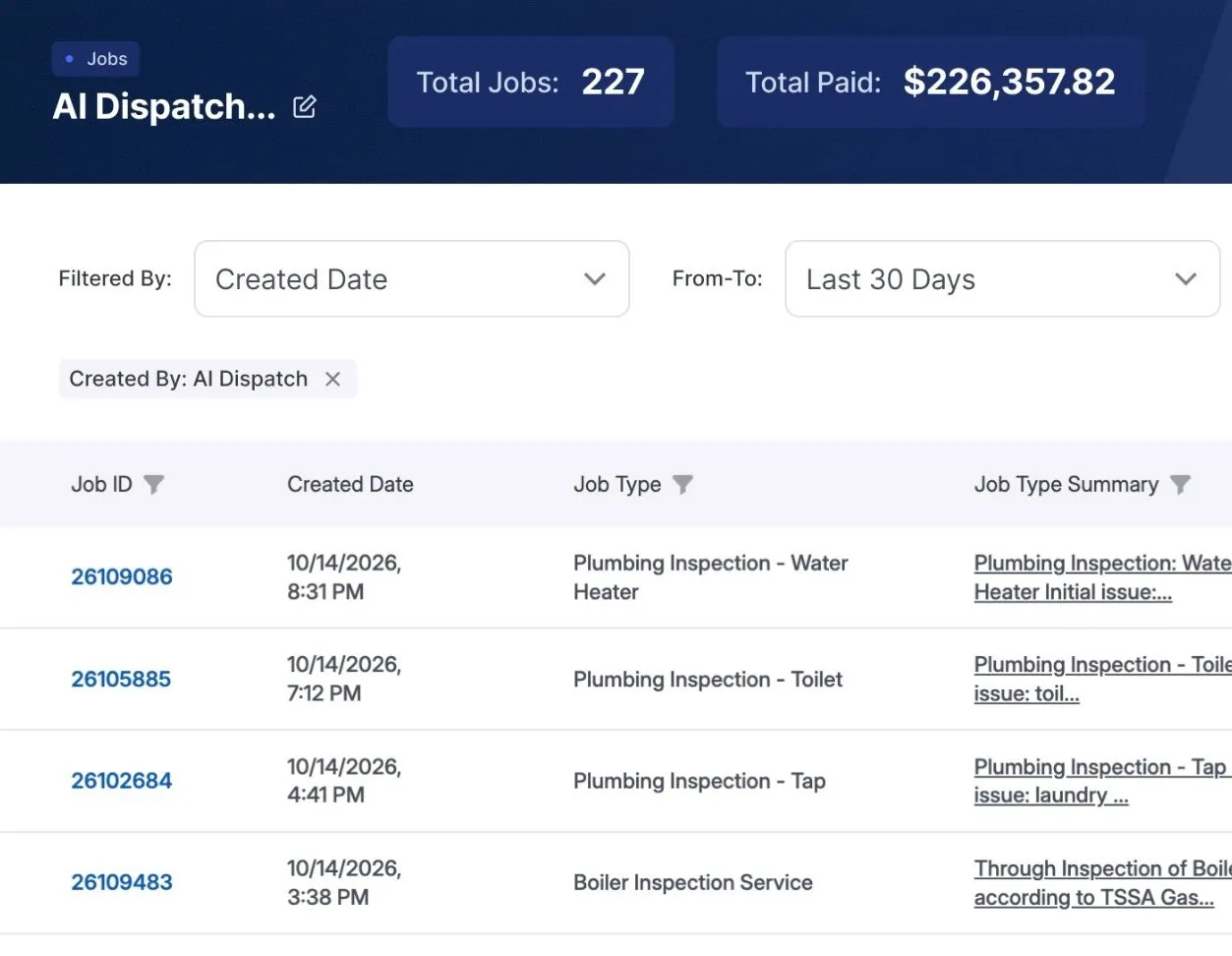
Workiz’s side is from its own website, terms, and help center, checked October 28, 2026. See the sources
WorkflowPros
If you want out early
Cancel anytime
You pay month to month, with no fee to leave.
You owe the full term
That’s 12 months, unless your order says otherwise. 1
Logins for your office
Every office login, free
Your dispatcher, your bookkeeper, whoever answers the phone.
You pay for every login
On annual billing, removing a user doesn’t lower the bill during your contract. 2
Calls you miss
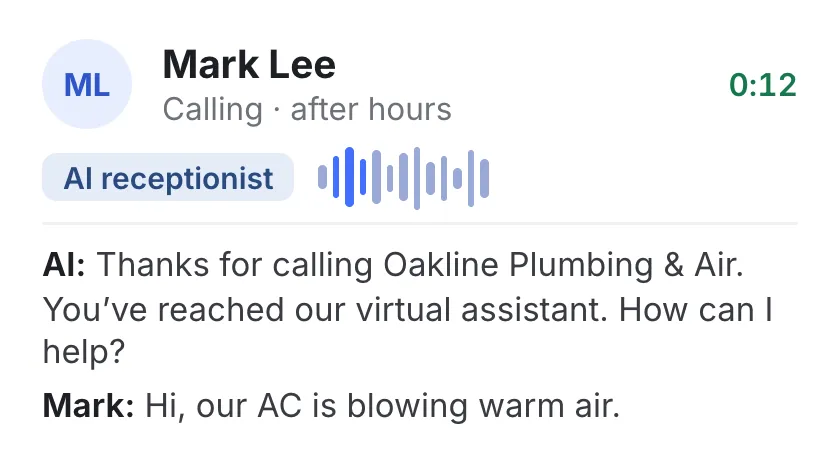
Our AI books jobs 24/7
1,000 minutes a month included, then $0.10 a minute.
Sold separately
Their AI answering, Genius Answering, is an add-on. 3
Keeping QuickBooks up to date
Syncs both ways
Customers, invoices, and payments go to QuickBooks Online and back.
One way after setup
After setup, from Workiz into QuickBooks. 4

Getting set up
We do it for $0
You do two things: tell us what you use and give us your data.
You prep the files
You export your data into spreadsheets; photos and client notes don’t come over. 5
Customers booking online
They pick their own time
They book on a page with your company name.
Every plan has it
You can have customers pay when they book. 6
Your tech with no signal
Keeps working
Forms, signatures, and materials sync when he has signal again.
Keeps working too
Their tech app works with little or no signal. 7
Your phone number when you leave
It goes with you
When you cancel, you can port your business number to another provider.
Ports out on request
Their support emails you some of what your new phone company needs. 8
We move your data and train your office and techs. You tell us what you use and give us your data. Shops we own moved over in 2 to 14 working days. One software fee, plus $90 a month for each tech on our mobile app. Your office logs in free.
Feature by feature
Everything here comes with WorkflowPros. With Workiz, some of it starts on the Pro or Ultimate plan, or is sold separately.
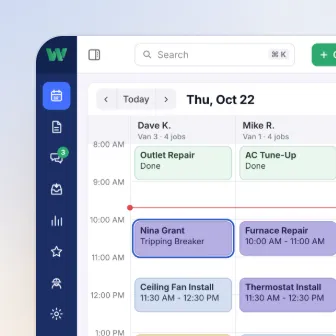 Scheduling & dispatch Suggested time and tech: Pro plan and up
- Suggested time and tech for each new job Included Pro plan and up
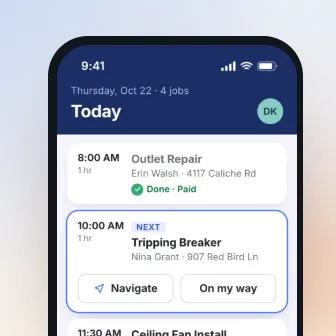 Tech app Checklists: Ultimate plan only
- Checklists on the job Included Ultimate plan only
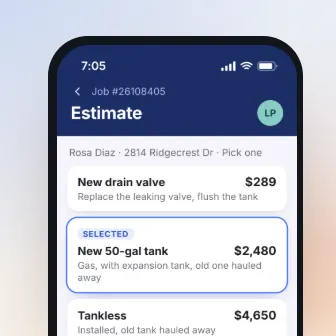 Estimates & price book Good-better-best options: Ultimate plan only
- Good-better-best options, side by side Included Ultimate plan only
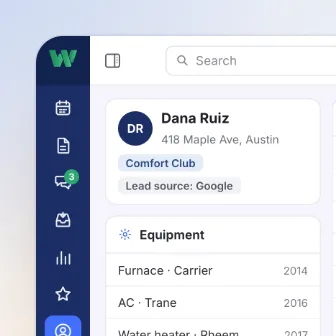 Customers & memberships 2 features need a bigger Workiz plan or an add-on
- Membership plans with your own perks Included Ultimate plan only
- Offers and emails to past customers Included Genius Marketing, an add-on
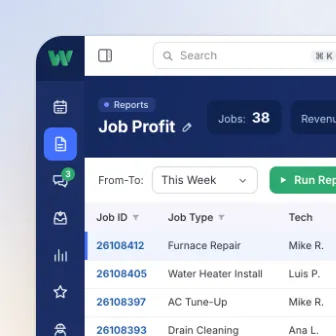 Reports Custom reports: Pro plan and up
- Build the report you need Included Pro plan and up
Workiz has the other features we compared on every plan too.
Workiz’s side is from its own plans page. 9
What else WorkflowPros does for you
Is the phone actually making you money?
See how many calls turn into jobs
Did the last repair really fix it?
See when a customer calls about the same problem again
A burst pipe at midnight?
Emergency calls go straight to your on-call tech
Who’s slow to pay?
Slow payers flagged early, so follow-up starts sooner
Losing money and not sure where?
See which jobs ran over on labor hours
Happy customers who never leave a review?
Review requests sent at the best time for each customer
Short-handed when the phones blow up?
Know how many calls to expect, and staff up for the rush
Switching from Workiz
Email cancel@workiz.com at least 30 days before your term ends, or it renews for another 12 months. We’ll plan the move around that date.
We move your data
We bring over your customers, equipment, memberships, job history, and price book before your Workiz contract ends. When it ends, you lose access to Workiz and everything in it. 10
We train your office and techs
We set up everyone’s logins and what each person sees, and train them online.
Superior, with 40 techs, moved over from ServiceTitan in 7 working days 11
Counted from the day it handed over its data. Yours depends on how much you have.
Before you cancel Workiz
Pay your balance first
Their terms say you can’t cancel until everything outstanding is paid. 12
Turn off phone plan auto-refill
Once a refill goes through, it can’t be canceled or refunded. 13
Ask for port-out details early
Workiz gets some details from its phone company first, which can take a while. 14
Delete each number once it’s ported
They bill for any number left on after you cancel their phone plan. 15
Export your custom reports
You can download a saved custom report as a PDF or CSV file. 16
Still deciding?
Give Andrew 30 minutes.
- He’ll ask how a job runs in your shop now, then show you one just like it in our app
- Two weeks free, and the clock doesn’t start till you’re set up. No credit card needed
With Andrew from WorkflowPros
Pick a demo time
On Google Meet, from your phone
Show times in
Former time
Your demo is with Andrew. He’ll ask how many techs you have and what you’re on now, so he can keep it to 30 minutes.
We’ll call you to book it.
Where each line comes from
- 1 If you want out early. Their agreement runs for 12 months unless a sales order says otherwise. If you cancel, it ends when the term does, and everything owed for the term stays due. But Workiz can end it anytime without notice and refund the unused part of what you prepaid. Workiz Terms and Conditions, sections 18.1, 18.2, and 18.4, dated Feb 19, 2026
- 2 Logins for your office. They bill by seats. Their help center says removing users doesn’t reduce your seats or what you pay during the contract, and seats you add stay billed to its end, even if users are later removed. Their terms allow no downgrades on annual billing. Workiz help center, billing questions, dated Apr 1, 2026; Workiz Terms and Conditions, section 13.3, dated Feb 19, 2026
- 3 Calls you miss. Genius Answering, their AI that answers calls 24/7, is sold separately; it can transfer a call to your team live during business hours. Their plans page lists it answering inbox messages too, and speaking English, Spanish, and French. Workiz plans page; Workiz Genius Answering page
- 4 Keeping QuickBooks up to date. Their QuickBooks page says that after setup, data flows one way, from Workiz to QuickBooks. Workiz QuickBooks integration page
- 5 Getting set up. To have their team import your data, you export it from your current software, put each kind of record in its own flat CSV or Excel file, and send the files to their technical support team. They can’t import images and files, calls and messages, client notes, or service plans, among other things. Workiz help center, importing data
- 6 Customers booking online. Their plans page lists online booking with optional checkout under Standard, Pro, and Ultimate. Workiz plans page
- 7 Your tech with no signal. Their tech app lets techs see job details and update them with little or no signal, and the changes sync once there’s signal again. Workiz mobile app page
- 8 Your phone number when you leave. Their help center says you ask their support for a port-out, they email you some of the details your new provider needs, and the number keeps working in Workiz until the port is done. Workiz help center, porting your number out
- 9 Feature by feature. Their plans page compares Standard, Pro, and Ultimate line by line. Roles and permissions, custom reports, Genius scheduling, and performance pay start on Pro; checklists, service plans, sales proposals, inventory, equipment tracking, and purchase orders come with Ultimate; and Genius Answering and Genius Marketing are sold separately. Their questions page says every user gets smart scheduling and dispatching and the mobile app. Workiz plans page; Workiz questions page
- 10 Switching from Workiz. Unless you give written notice 30 days or more before the term ends, the agreement renews for another 12 months, and notice to cancel goes to cancel@workiz.com. When the agreement ends, you lose access right away, and they may delete your data. Workiz Terms and Conditions, sections 18.1 and 18.4 and “Consequences of Termination”, dated Feb 19, 2026
- 11 How long each of our shops took. Our page on how long switching takes
- 12 Pay your balance first. Their terms say you can’t end the agreement until every outstanding debt, fee, and charge you owe to Workiz, Adyen, or other third-party loan facilitators for the service is paid in full, and a missed payment counts as a material breach that lets them end it at once by notifying you. Workiz Terms and Conditions, sections 18.3 and 18.4, dated Feb 19, 2026
- 13 Turn off phone plan auto-refill. Their terms say that if you set your account to add funds to your phone plan automatically when it runs out, those charges can’t be canceled or refunded. Workiz Terms and Conditions, section 8.4, dated Feb 19, 2026
- 14 Ask for port-out details early. Their help center says some port-out details must first be requested from their underlying telecom provider, so the timeline can depend on how quickly that provider produces them. Workiz help center, porting your number out
- 15 Delete each number once it’s ported. Their help center says porting a number out doesn’t remove it from your Workiz account, so you delete it yourself once the port is done, and numbers still on the account after you cancel their phone plan are billed until you remove them. Workiz help center, porting your number out; Workiz help center, billing questions, dated Apr 1, 2026
- 16 Export your custom reports. Their help center says you export a saved custom report from its Actions menu, as a PDF or a CSV file. Workiz help center, exporting a custom report
Our side comes from our contract’s Cancellation and Your phone number sections. The rest comes from our Team & automation, Calls & bookings, Invoices & payments, Switching, and Tech app pages.
Plans and terms change, so check with Workiz before you sign. Workiz is a trademark of its owner, and WorkflowPros isn’t affiliated with it.