
Field service software and CRM for the trades
WorkflowPros vs. Successware
Successware doesn’t list prices on its site. We do: $600 a month, plus $90 a month for each tech you add to our mobile app. Your office logs in free.
A shop with 10 techs pays $1,500 a month, every feature included. Cancel anytime, no fee.
On a 30-minute call, we’ll run a job like yours through our app. Then try it free for 14 days. No credit card needed.
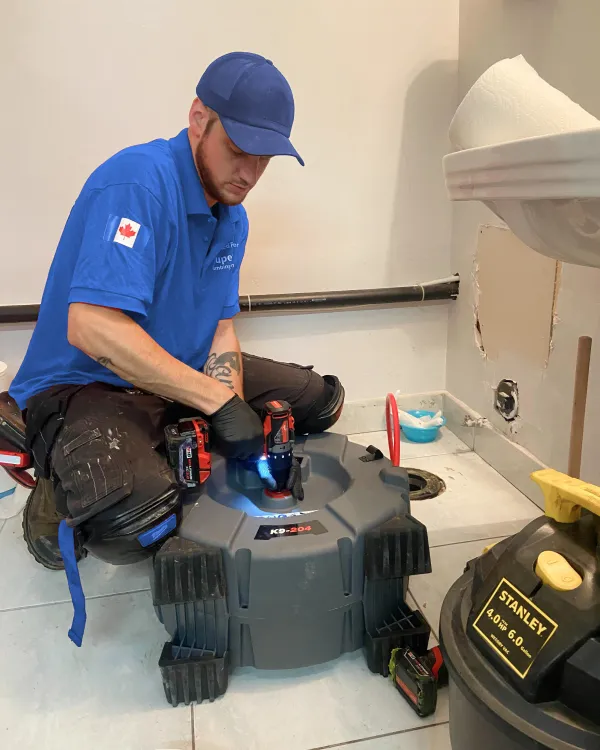 $226K paid in 30 days on jobs WorkflowPros booked 227 jobs the software booked on its own We own Superior Plumbing & Heating, a Canadian shop with 40 techs. The $226K is revenue, not profit. See the report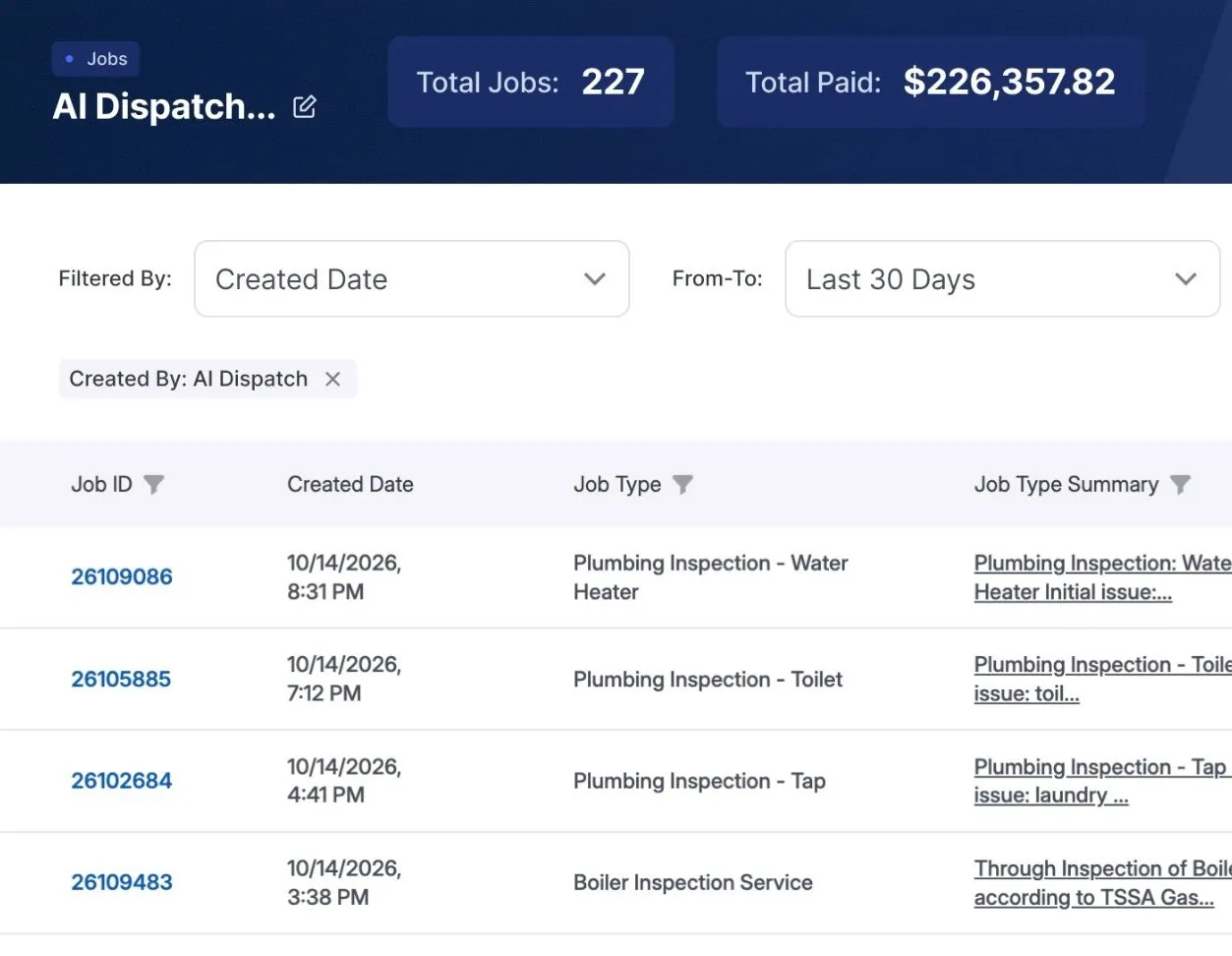

Successware’s side is from its own website, FAQ, and terms, checked October 30, 2026. See the sources
WorkflowPros
Getting set up
We move your data free
To start, send us an export from Successware.
Moving data in costs extra
Their fee to bring your data in depends on how complex it is. 1
When the app acts up
Phone support, 24/7
Call on a Sunday night or a holiday, and a real person answers.
Weekdays only
8 a.m. to 5 p.m. Eastern, by phone, email, or chat. 2
Keeping QuickBooks up to date
Keeps QuickBooks Online synced
Customers, invoices, and payments sync both ways, so your books live in QuickBooks Online.
Doesn’t sync your books
Successware’s new platform has its own accounting built in. 3

Your tech with no signal
Keeps working
He fills out forms, gets a signature, and logs materials; it all syncs later.
Keeps working too
Successware Mobile works offline and syncs later. 4
Customers booking online
Your own booking page
Customers book a time that works for them.
Online booking too
Their BookIt widget offers only open time windows. 5
- We move your data and train your office and techs online, at no charge. Shops we own moved over in 2 to 14 business days after handing over their data.
- On Connection, Successware’s call and text add-on? Give them 30 days’ notice before it renews. We’ll plan the move to finish before then. 6
- Cancel within 30 days of your first payment, and we refund every dollar you’ve paid. Read the contract
Feature by feature
Everything here comes with WorkflowPros. With Successware, the call log and texting need Connection, an add-on with its own monthly fee. Review requests go through partner apps.
Calls & bookings Call log with Successware Connection
- Every call logged with its time, length, and outcome Included With Successware Connection
Scheduling & dispatch Reminder texts with Successware Connection
- Automatic appointment reminder texts Included With Successware Connection
Customers & memberships Review requests: Through PulseM or Customer Lobby
- Review requests timed for each customer Included Through PulseM or Customer Lobby
Team & automation Texting with Successware Connection
- Two-way texting with customers Included With Successware Connection
Successware includes the other 9 features we compared
Successware’s side is from its own FAQ and feature pages. 7
What else WorkflowPros does for you
No time to listen to every call?
A short summary of every call, plus the transcript
Moving one job wrecks the whole day?
See what a move does to the rest of the day
Techs stuck in traffic between jobs?
Routes and drive times planned around traffic
An estimate waiting on a yes?
Customers approve it from their phone
Who changed this job?
Every change logged: who did what, and when
Last to know when jobs go wrong?
You or your manager hear about urgent problems and late jobs right away.
Paying for windshield time as job time?
Drive time tracked separately from time on site
Switching from Successware
We move your data
We bring over your customers, with their service locations, equipment, agreements, and job history. Your price book, invoices, payments, and business phone numbers come over too.
We train your office and techs
We set up everyone’s logins and what each person sees, and train them online.
Superior, our own shop with 40 techs, moved over from ServiceTitan in 7 business days 8
We counted from the day Superior handed over its data to the day it was all moved. Your timeline depends on your data.
Still deciding?
Give Andrew 30 minutes.
- He’ll ask how a job runs in your shop now, then show you one just like it in our app
- Two weeks free, and the clock doesn’t start till you’re set up. No credit card needed
With Andrew from WorkflowPros
Pick a demo time
On Google Meet, from your phone
Show times in
Former time
Your demo is with Andrew. He’ll ask how many techs you have and what you’re on now, so he can keep it to 30 minutes.
We’ll call you to book it.
Where each line comes from
- 1 Getting set up. Successware’s FAQ calls moving your data essential to getting started, with a fee that varies with how complex your data is. Successware imports most data from other software, but your financial data still takes some manual setup. Setting Successware up means setting up your codes and your opening balances. Training comes as part of onboarding, with on-demand courses after it. Successware FAQ
- 2 When the app acts up. Successware’s FAQ says you can call as often as you need: unlimited support comes with the monthly license fee and is open Monday through Friday, 8 a.m. to 5 p.m. Eastern, by phone, email, or chat, the chat inside their platform and Successware Mobile. Each call, email, or chat opens a support ticket that their team follows up on. Successware FAQ
- 3 Keeping QuickBooks up to date. Successware’s FAQ says the new platform has accounting built in, meant to replace QuickBooks, and doesn’t integrate with QuickBooks for accounting: receivables and payables, income statements, and balance sheets all live in Successware. Their payroll figures gross pay but keeps no tax tables for net pay, so it goes out to QuickBooks Payroll or ADP. Successware FAQ; Successware integrated accounting page
- 4 Your tech with no signal. Successware’s FAQ says a job a tech has loaded stays active with no connection, which it calls common in basements and in houses with metal roofs, and their Field Tools page says techs work in an offline mode on Successware Mobile and sync once they have a stable connection. Successware FAQ; Successware Field Tools page
- 5 Customers booking online. Successware’s BookIt page calls it an online appointment scheduling tool for your customers that shows real-time open windows from their Time Slot Capacity Management, which you must be using for BookIt to work. It finds an existing customer’s record from the phone number or email they enter. They call BookIt a fully customizable widget, personalized to your business and your brand’s style, and you can set up separate ones, say, one for service calls and one for agreement visits. Successware BookIt page
- 6 Switching from Successware. Successware’s Connection terms say each term renews for another year unless you cancel a full 30 days before that term is over. Successware Connection Terms and Conditions (PDF), section 8
- 7 Feature by feature. Successware’s FAQ says that when you buy it, you get every module, and the ones you grow into come at no extra charge. The call log, texting, and appointment reminders run on Successware Connection. Their FAQ says to get a quote from your account manager, and their terms bill Connection as a monthly fee of its own. Review requests go through partners such as PulseM and Customer Lobby. Their feature pages show a dispatch board that flags each tech’s skills, a dispatch assistant, a Google map of where techs are, flat-rate price books, with imports of the big ones such as Profit Rhino and Callahan Roach, invoices filled in from the job, job costing, an Agreement Manager for visits, billing, and renewals, and company and tech reports with goals. Successware FAQ; Successware Success Tools page; Successware Connection Terms and Conditions (PDF), sections 1 and 8; Successware integrations page; Successware dispatching page; Successware sales and marketing page; Successware back-office page; Successware new platform page
- 8 How long each of our shops took. Our page on how long switching takes
- 9 Leaving Connection early? No refund. Successware’s Connection terms say a cancellation mid-term gets no refund, and Connection keeps working until the current yearly term ends. They also say Successware needs a reasonable amount of time to process a cancellation, and if that runs past the renewal date, you don’t owe fees after it. Successware Connection Terms and Conditions (PDF), section 8
- 10 Expect a bill for Connection usage. Successware’s Connection terms say some Connection fees are billed afterward, on what you actually used, and that you agree to pay them all. Successware Connection Terms and Conditions (PDF), section 5
Our side comes from our contract’s Support section. The rest comes from our Switching, Invoices & payments, Tech app, and Calls & bookings pages.
A real person picks up our support line 24/7. For email and other requests, our contract’s target for a first reply is 1 hour when calling, dispatching, or taking payments has stopped completely. It’s a target, not a guaranteed resolution time.
Plans and terms change, so check with Successware before you sign. Successware is a trademark of its owner, and WorkflowPros isn’t affiliated with it.